Start and complete a work order
Take the readings off the dash when you start, and again when you finish.
Who can do this: Shop, Admin
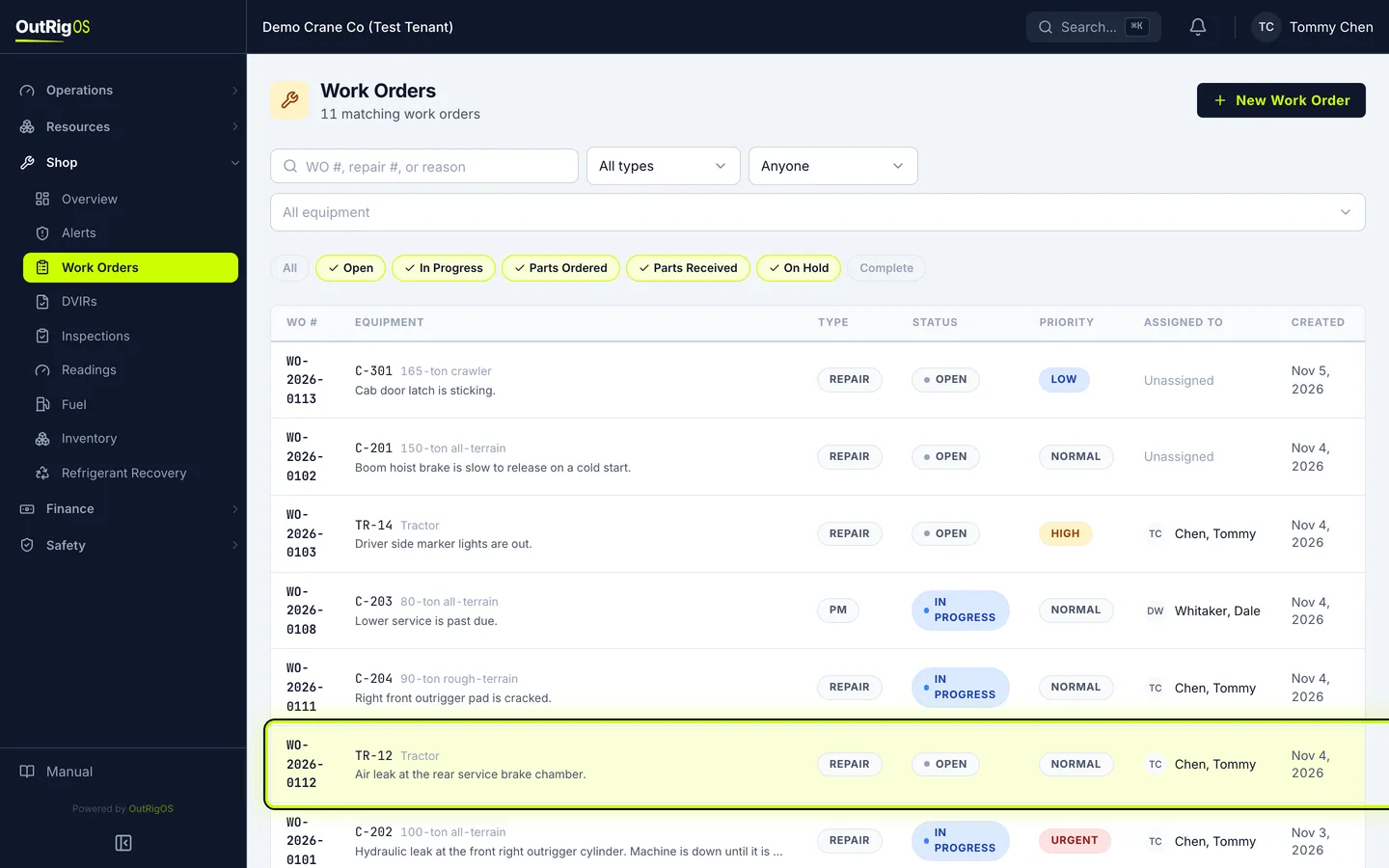
Open the work order
In Shop → Work Orders, open the work order you are starting.
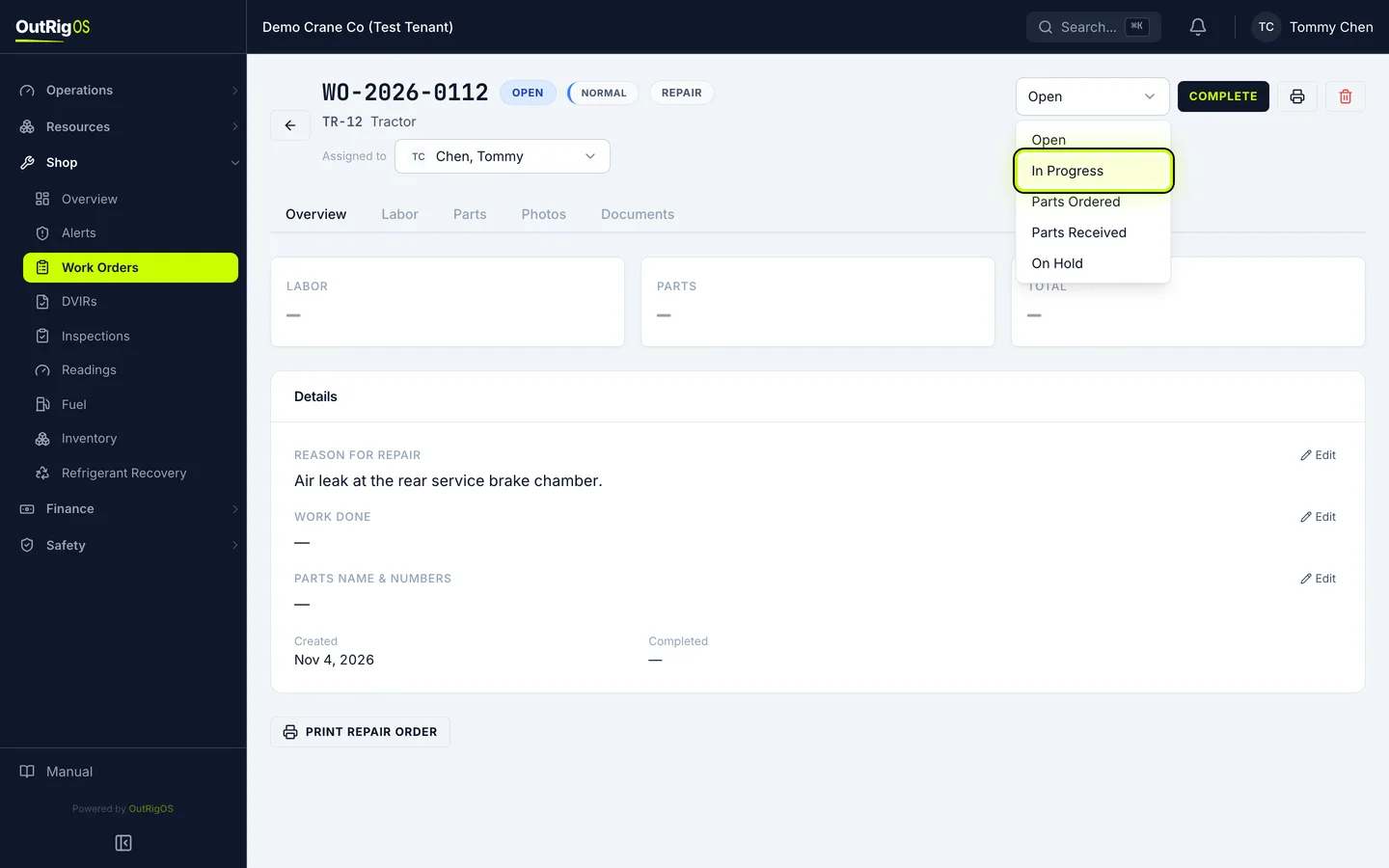
Set it to In Progress
When you start the job, change the status to In Progress.
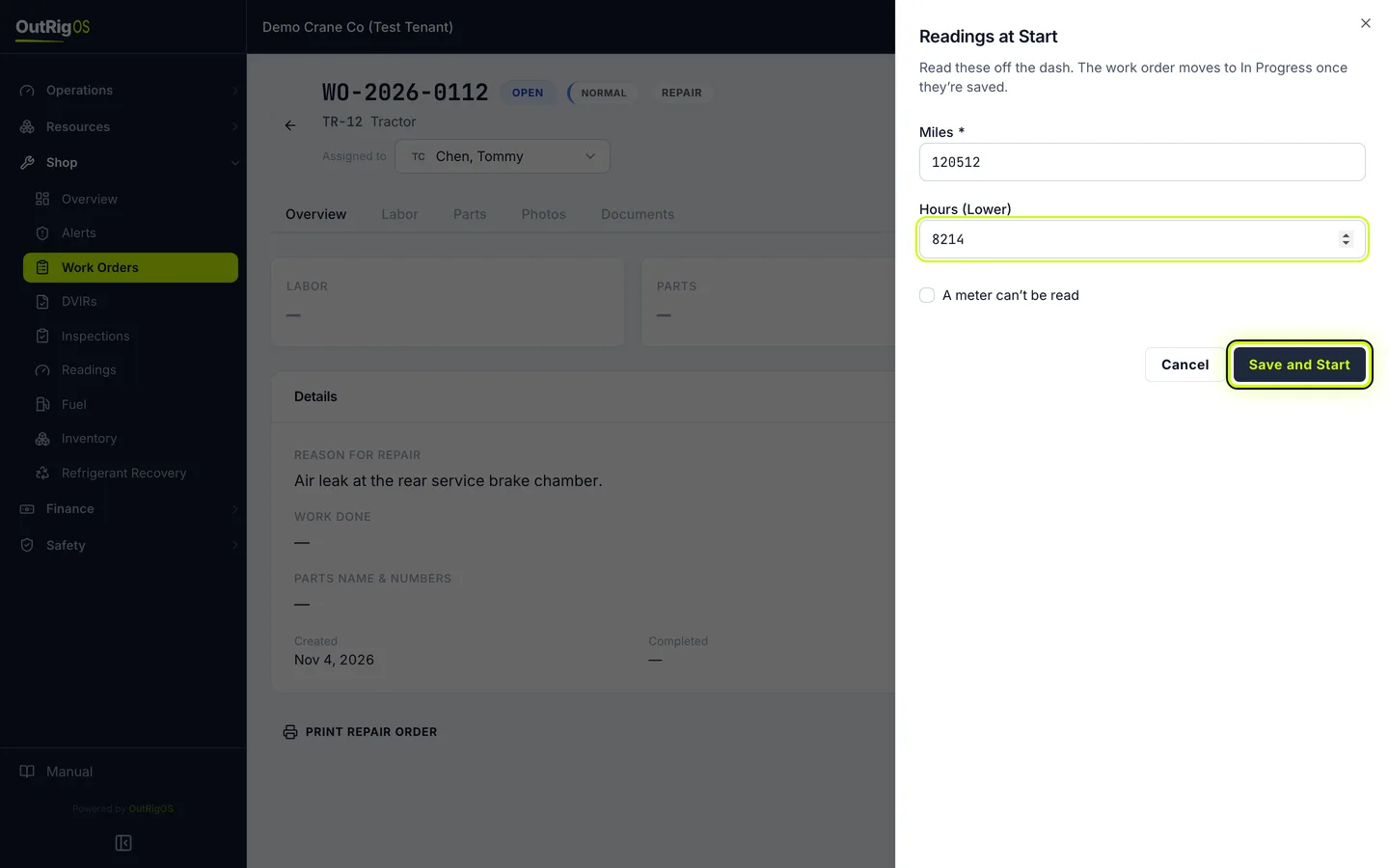
Enter the readings at the start
Read the miles and hours off the dash, and click Save and Start.
Your company decides whether readings are required. If they are not, this box does not appear.
Complete it
When the work is done, click Complete.
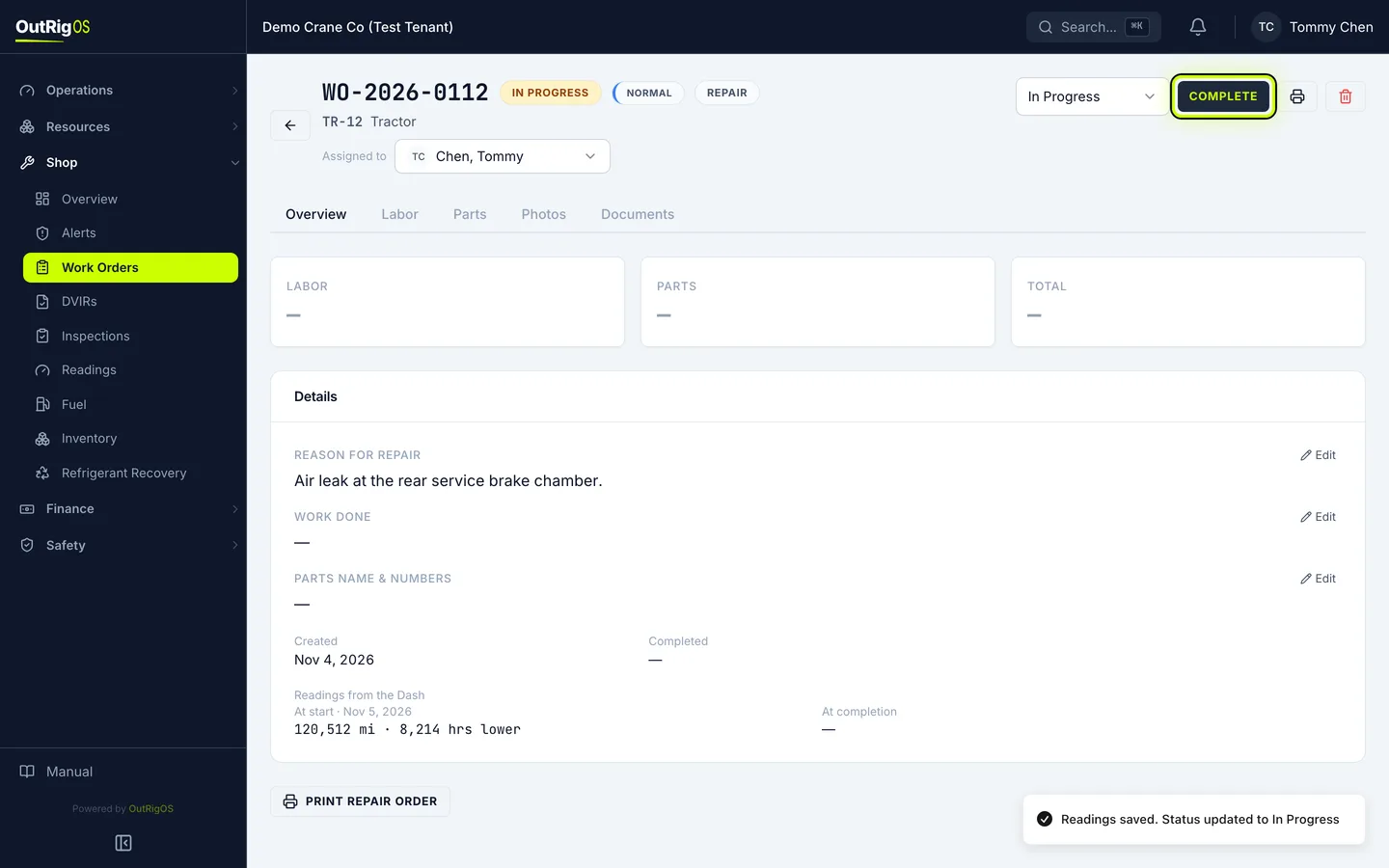
Say whether it was a PM
Under Was this a PM?, say whether it was. For a repair, choose No.
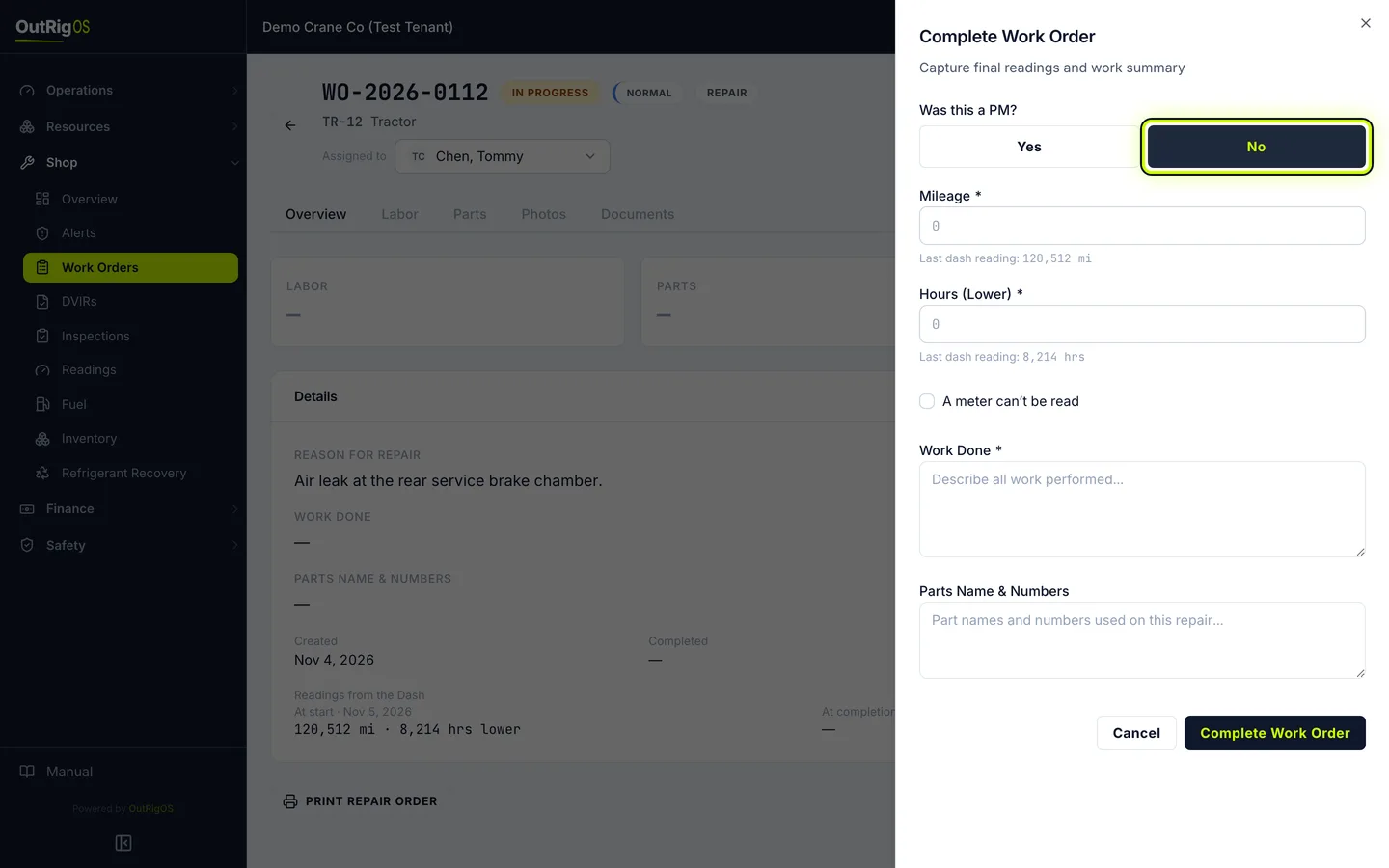
Enter the final readings
Read the dash again and enter Mileage and Hours (Lower). If a meter is broken, check A meter can’t be read and say why.
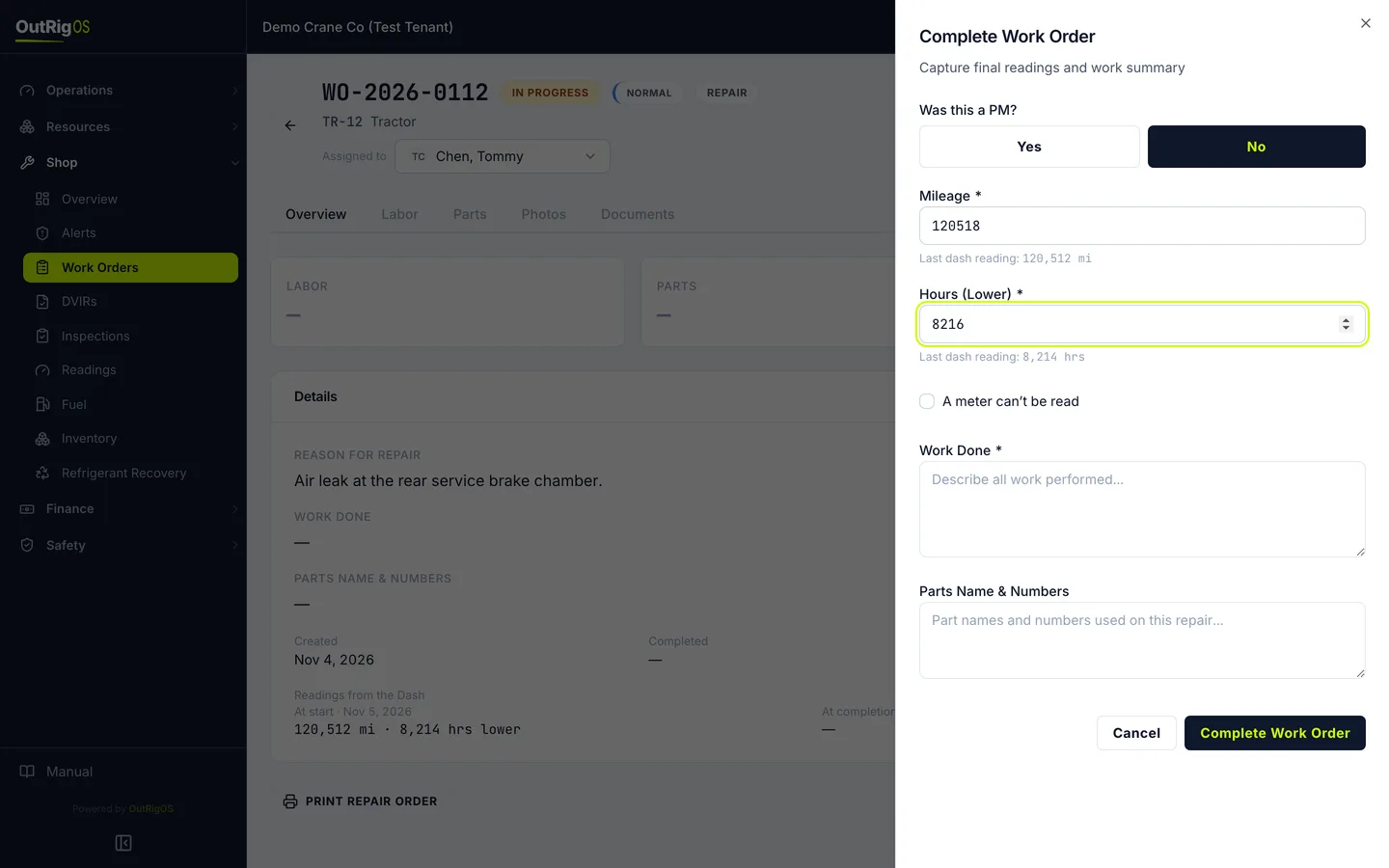
Say what you did
Under Work Done, say what you did. Under Parts Name & Numbers, list the parts you used.
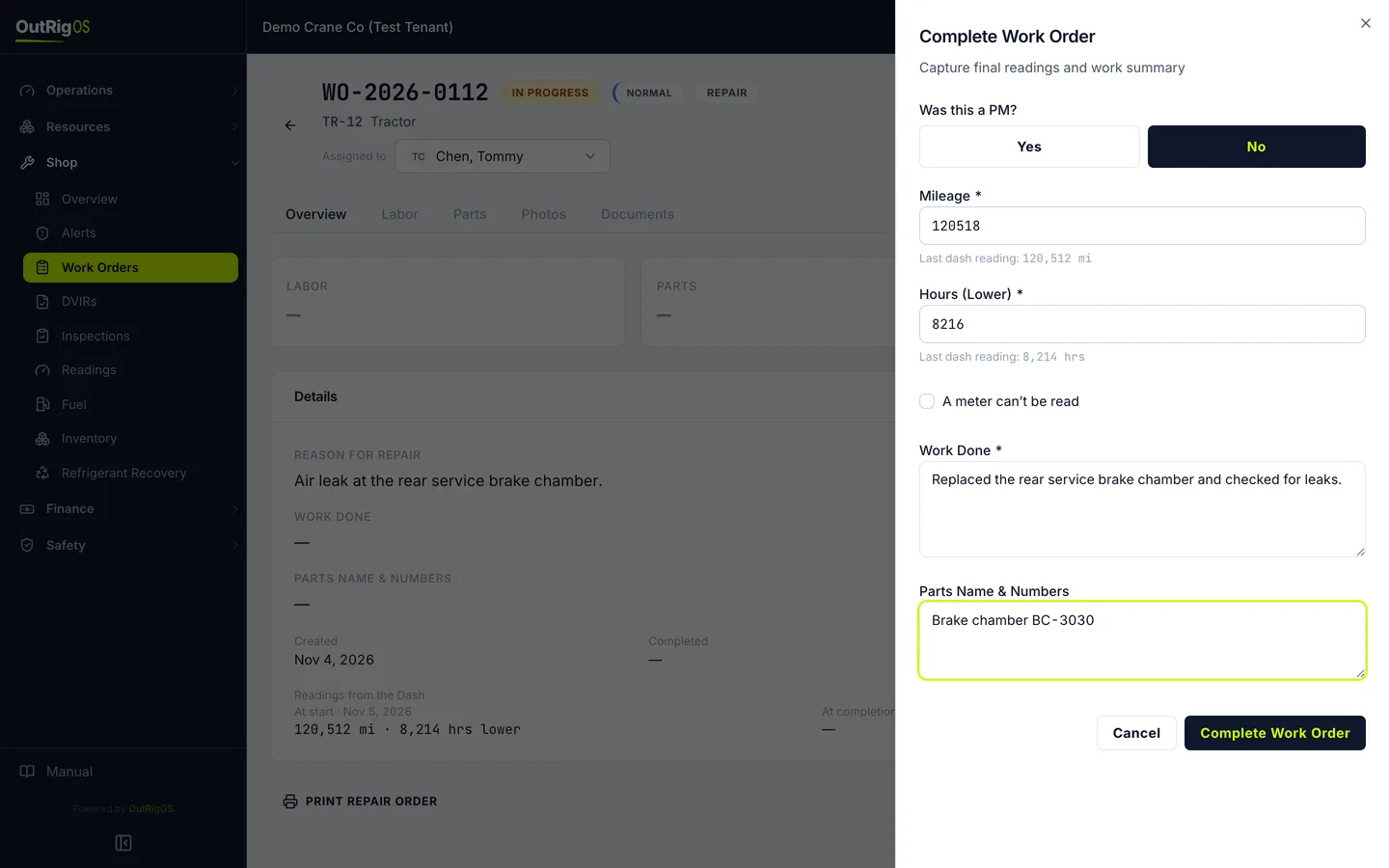
Finish it
Click Complete Work Order.
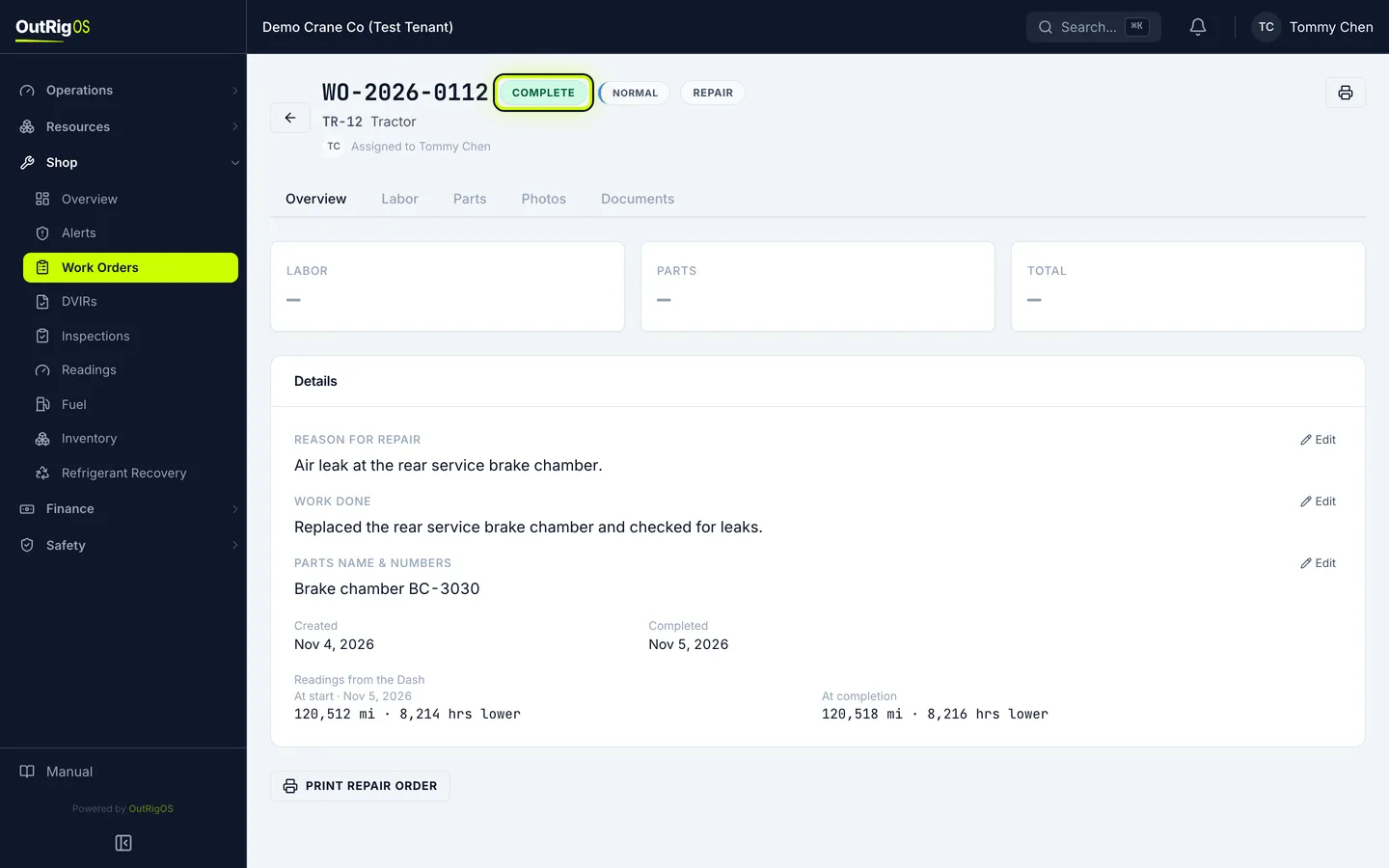
It is done
The status changes to Complete, and the readings carry over to the machine. A completed work order can’t be reopened, so check it before you finish.