Receive against a blank label
Enter a piece that already has a blank label on it, under the number on its sticker.
Who can do this: Storage, Admin
Find the number
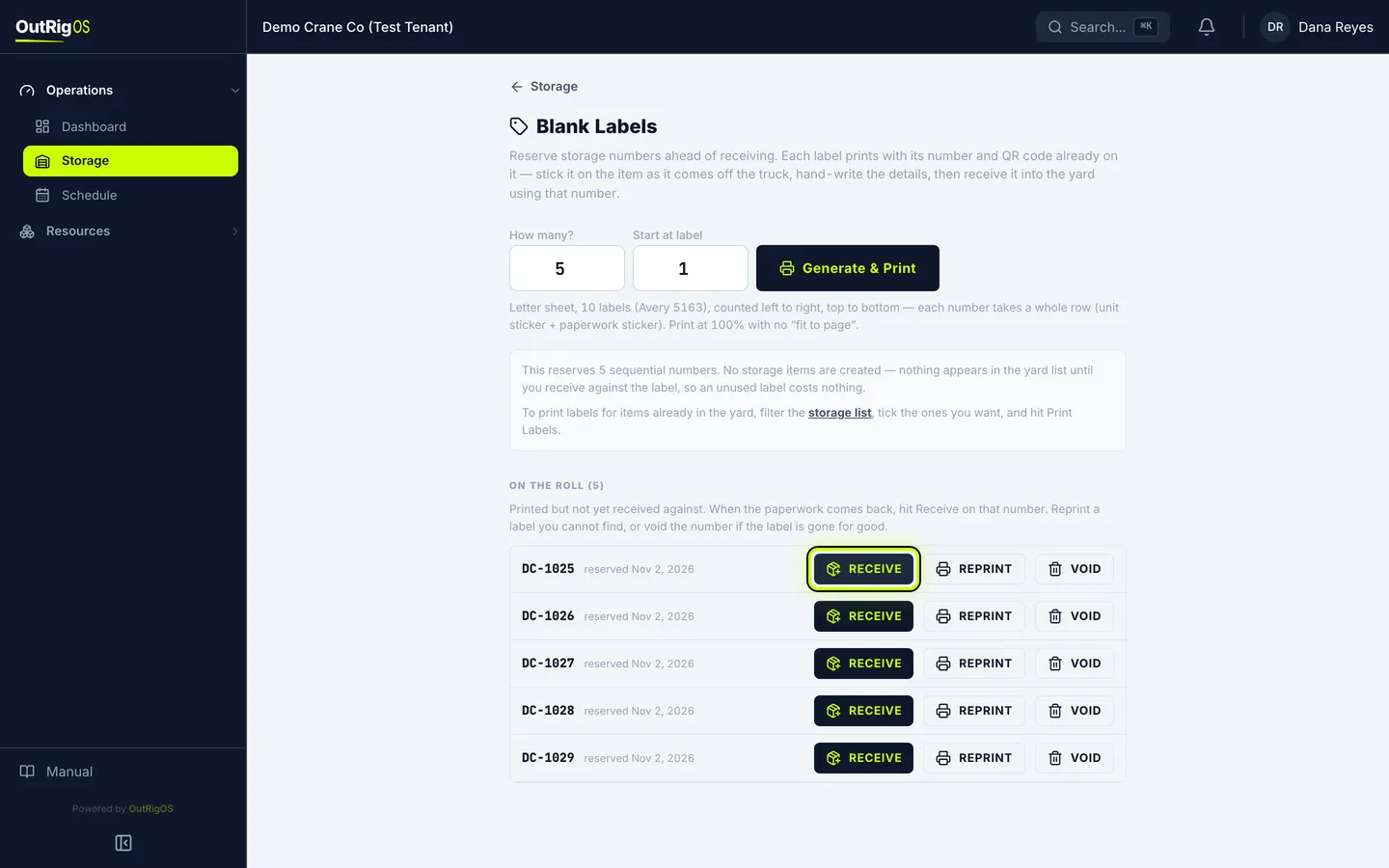
In Blank Labels, find the number on the sticker under On the Roll, and click Receive.
Check the number
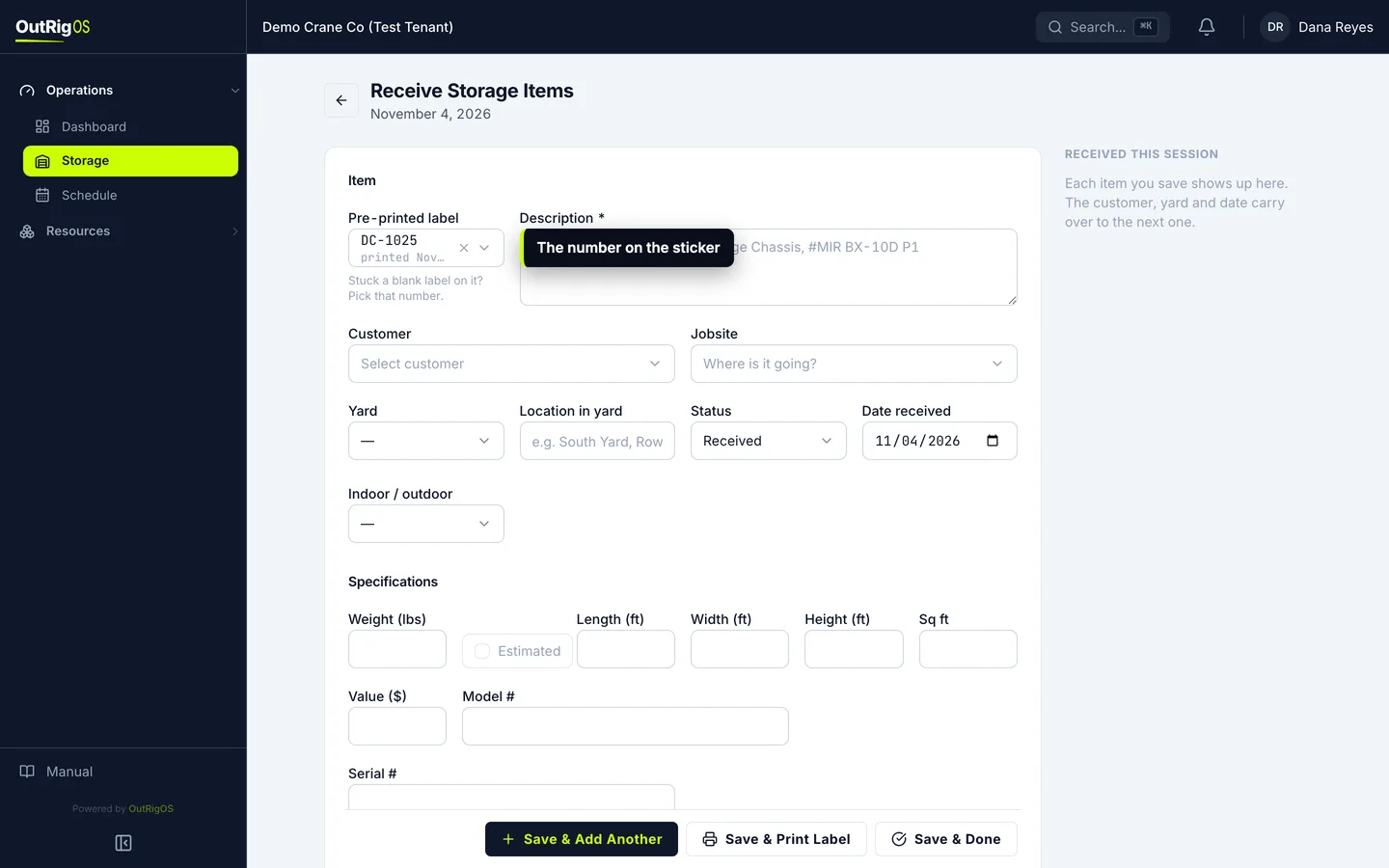
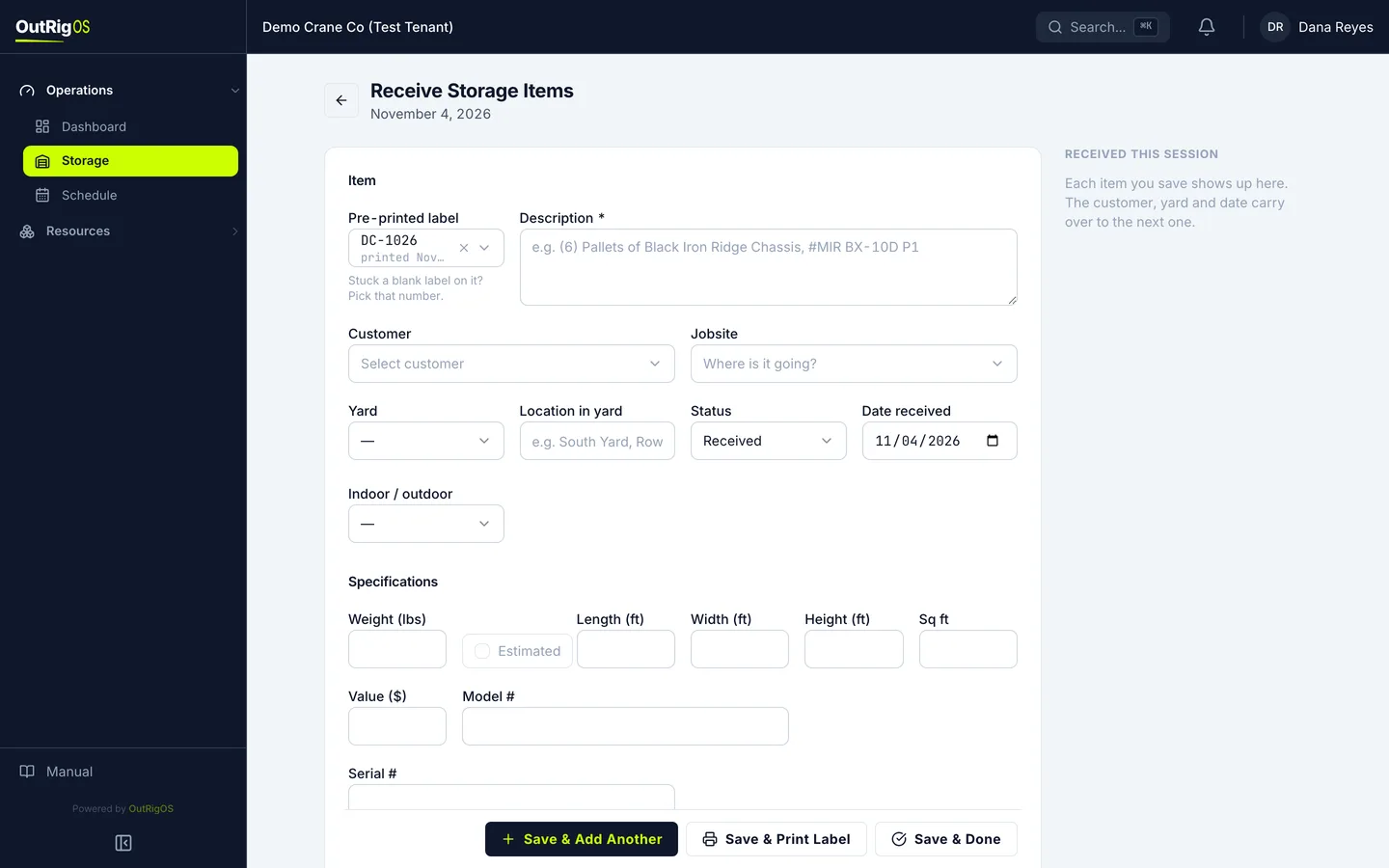
The form opens with that number already picked under Pre-printed label.
Fill in what you wrote down
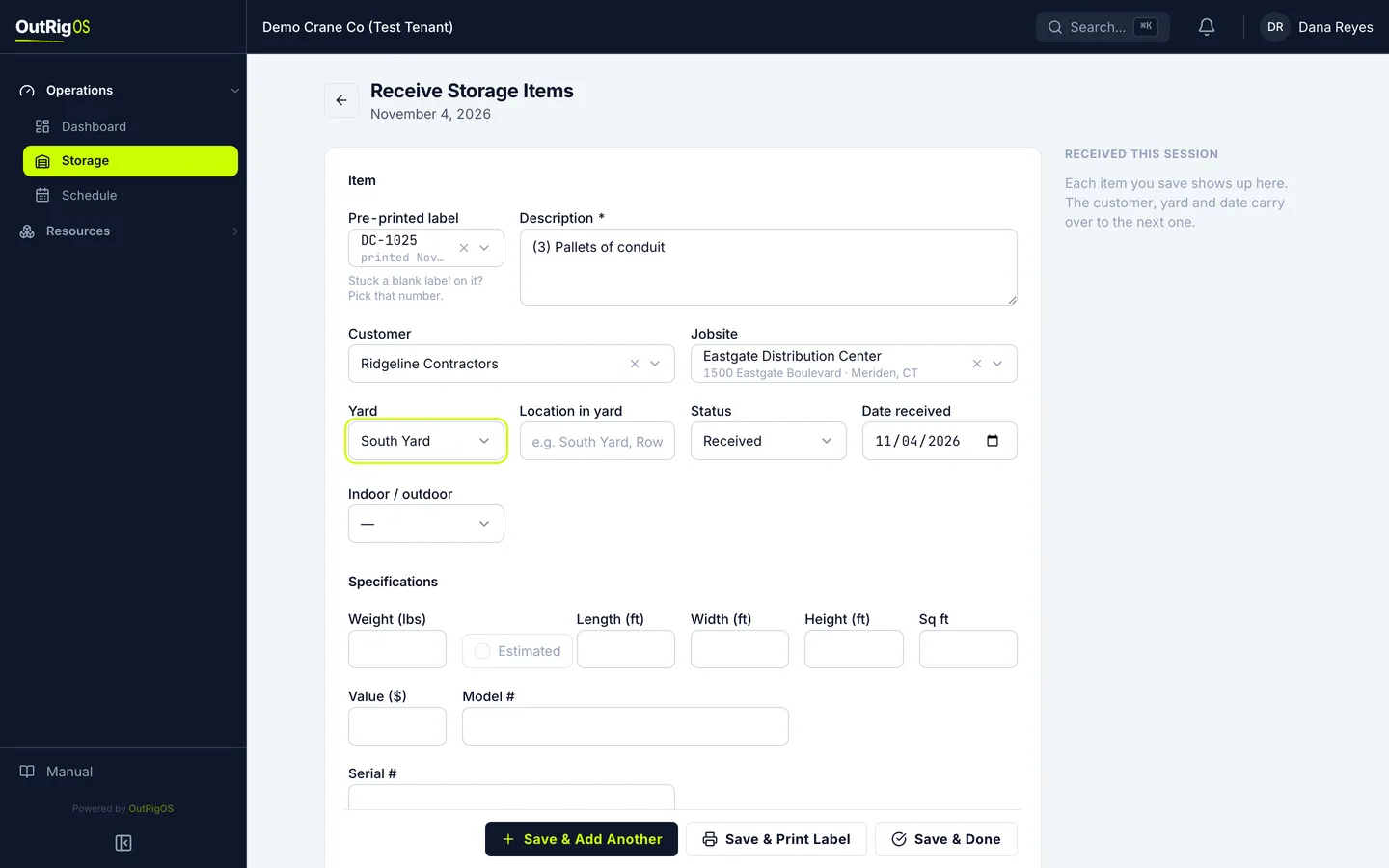
Fill in what you wrote down, the same as any other item: Description, Customer, Jobsite and Yard.
Save it
Click Save & Done.
Check the list
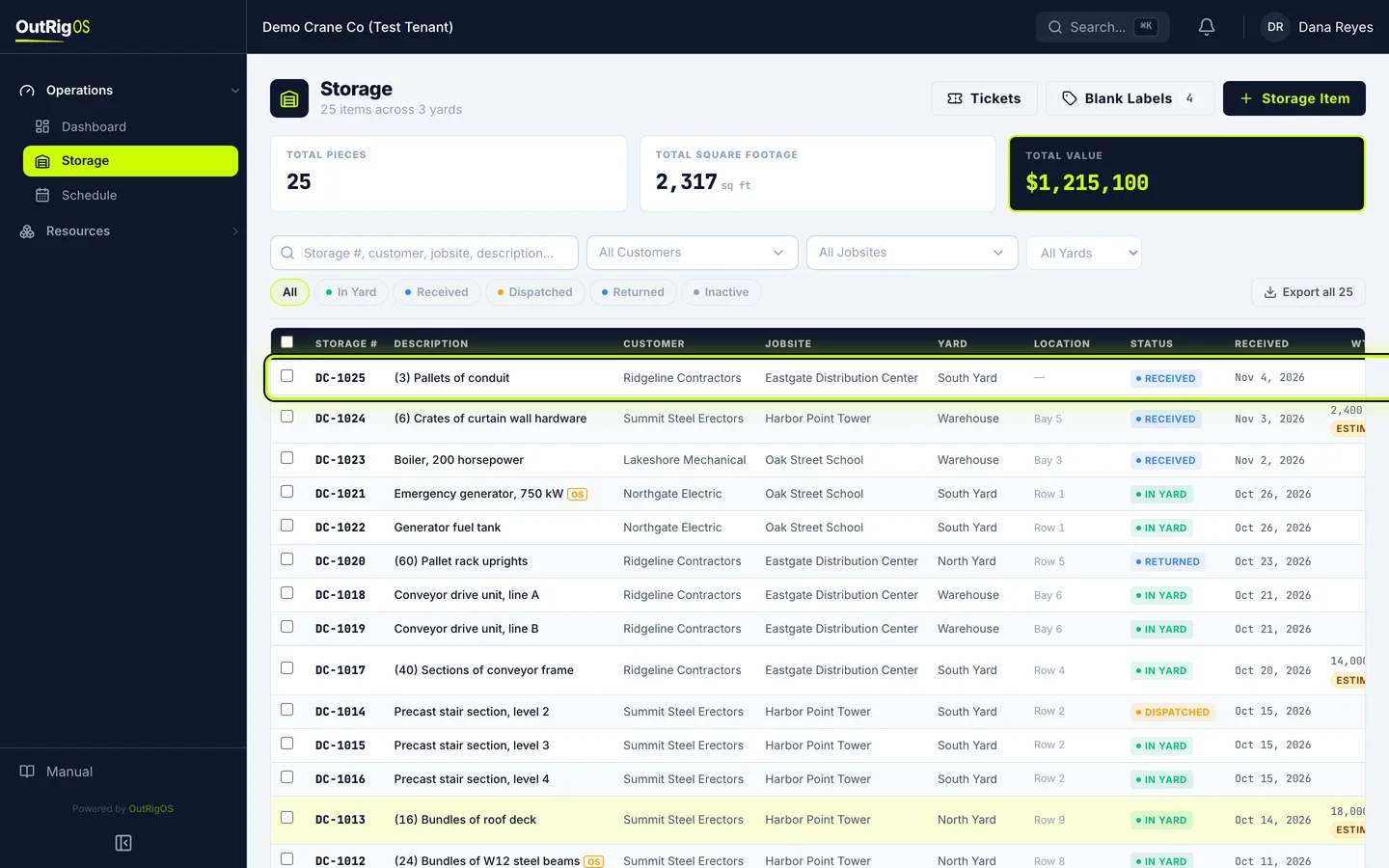
It is on the list, under the number on its sticker.
Or start from Storage Item
You can also click Storage Item, open Pre-printed label, and type the number on the sticker. Only labels on the roll are listed, so a wrong number cannot land on the wrong item.
Related
Last updated on