Move or update a storage item
Change an item’s yard, location or status, and correct anything else on it.
Who can do this: Storage, Admin
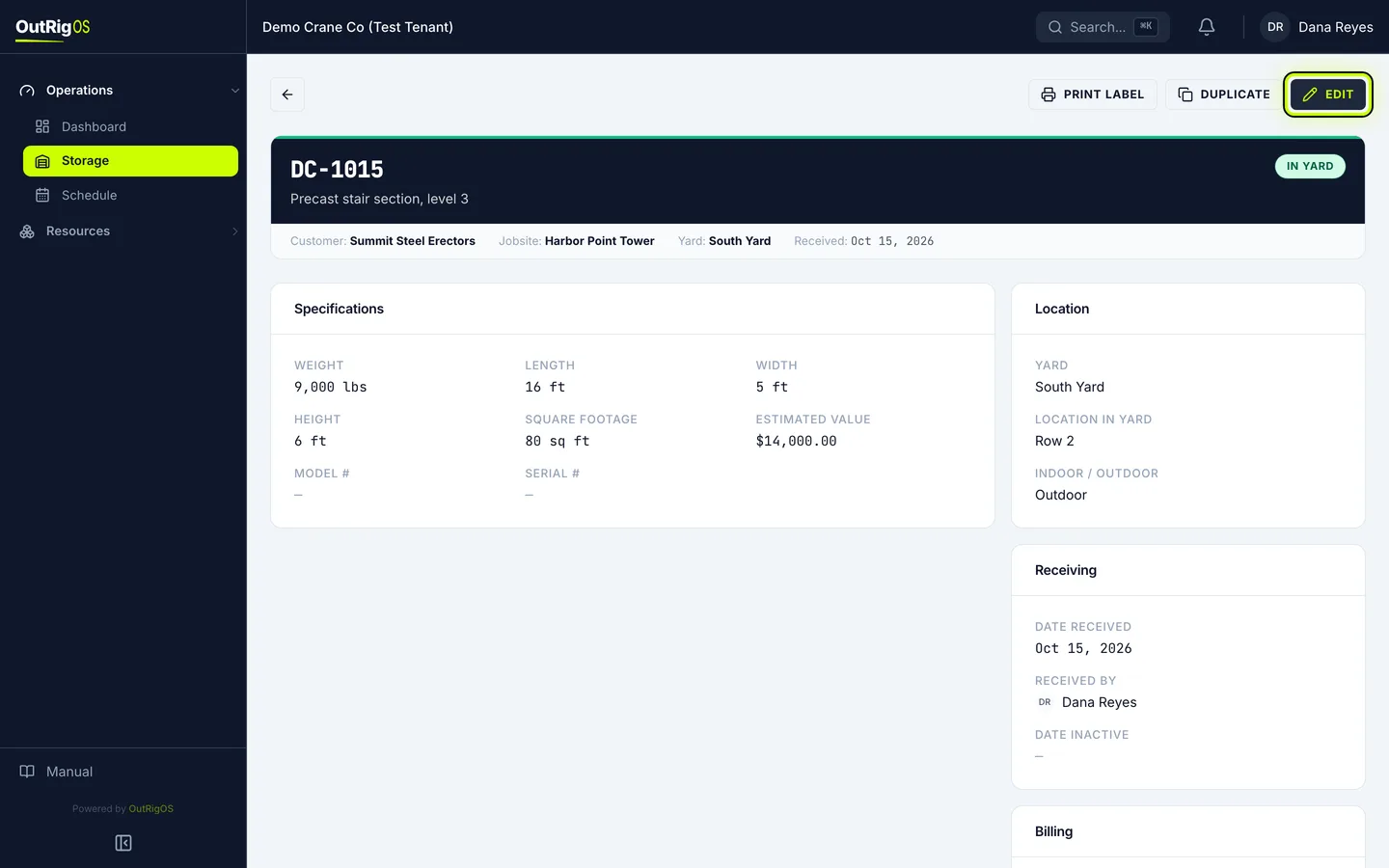
Open the item
Find the item on the Storage list and open it.
Click Edit
Click Edit.
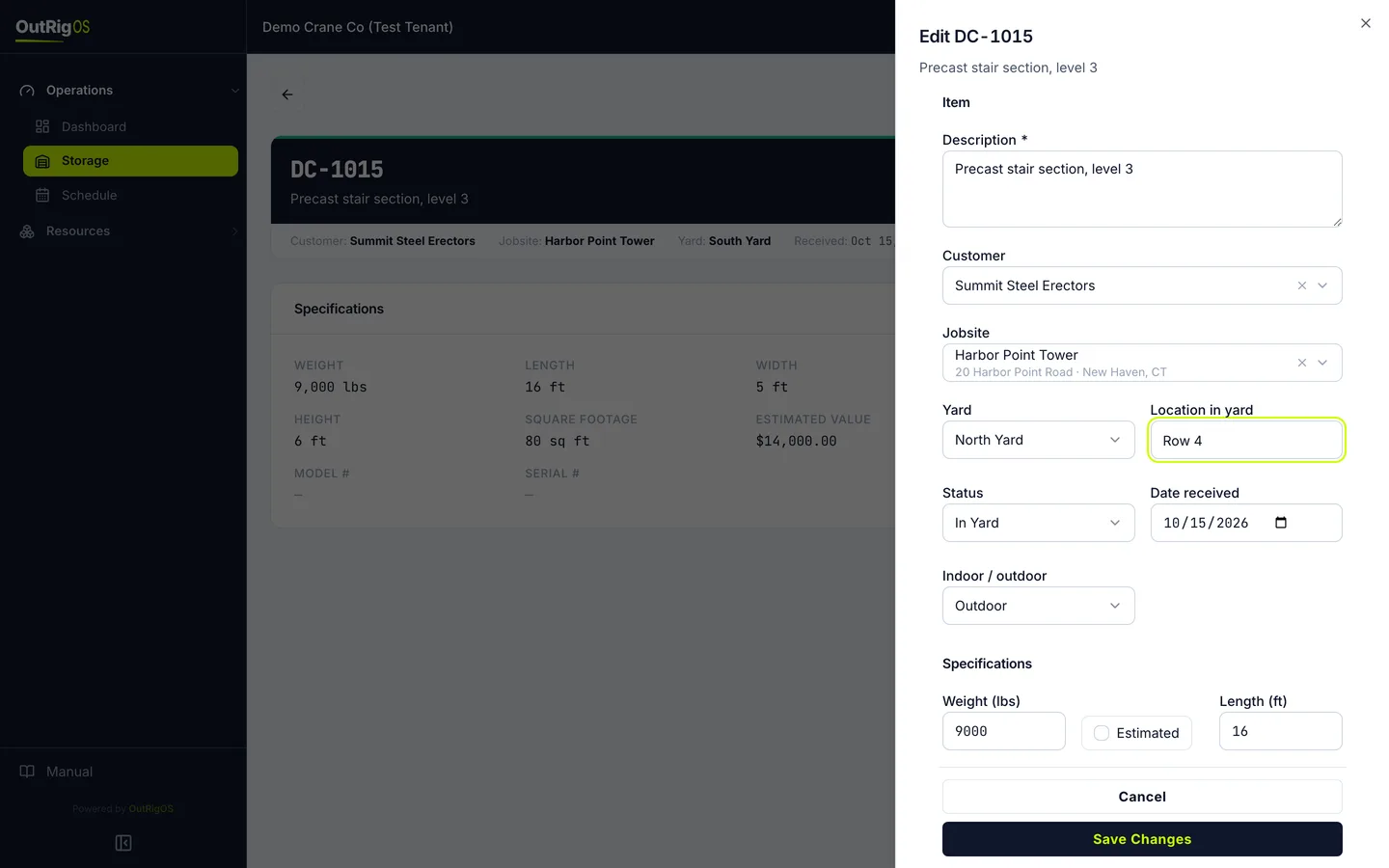
Change the location
To move it, change Yard, and update Location in yard.
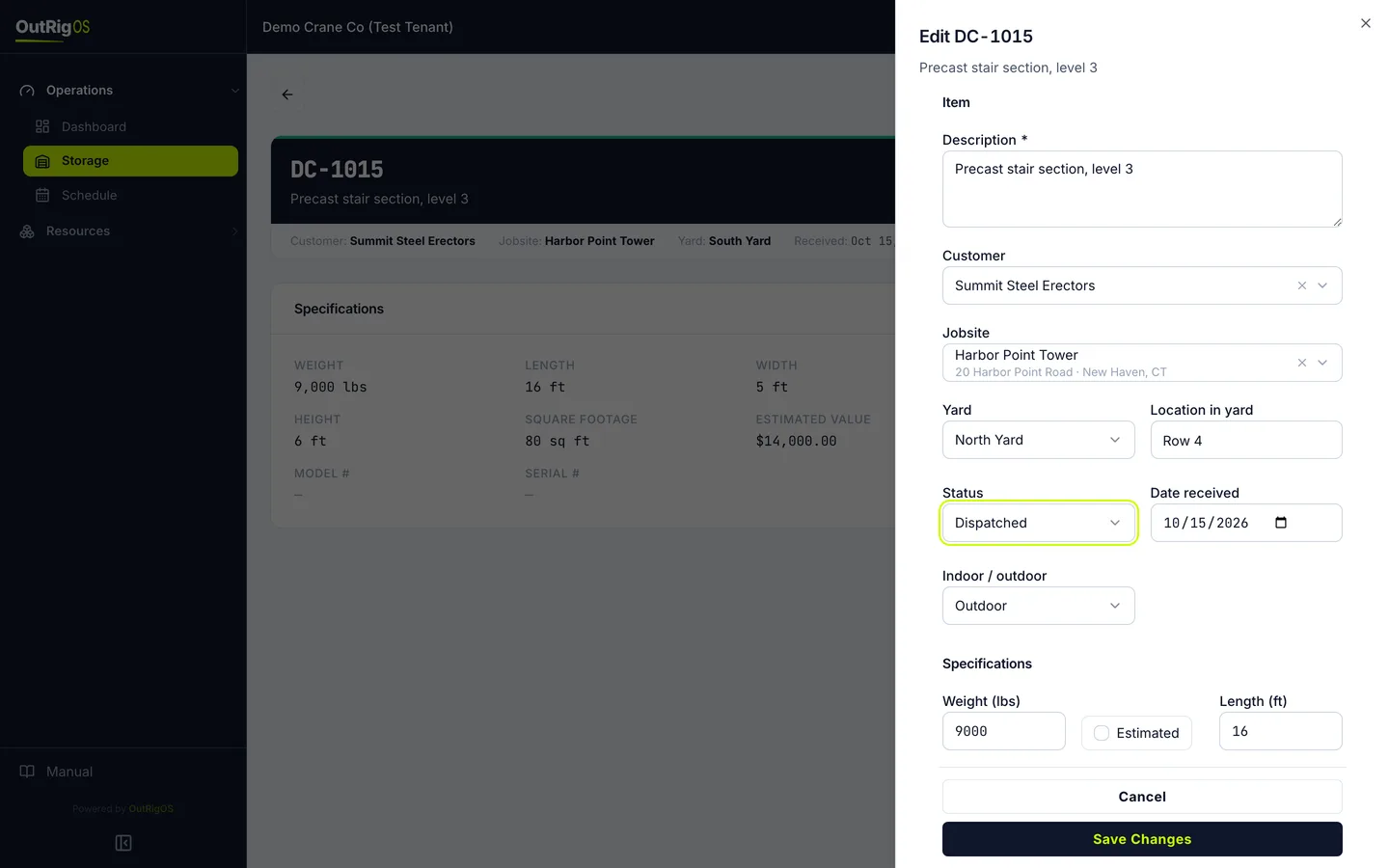
Change the status
Change Status as it goes: Dispatched when it goes out to the job, and Returned if it comes back.
Correct anything else
This is the same form you used to receive it, so you can correct anything else too. Only the storage number can’t change.
Save it
Click Save Changes.
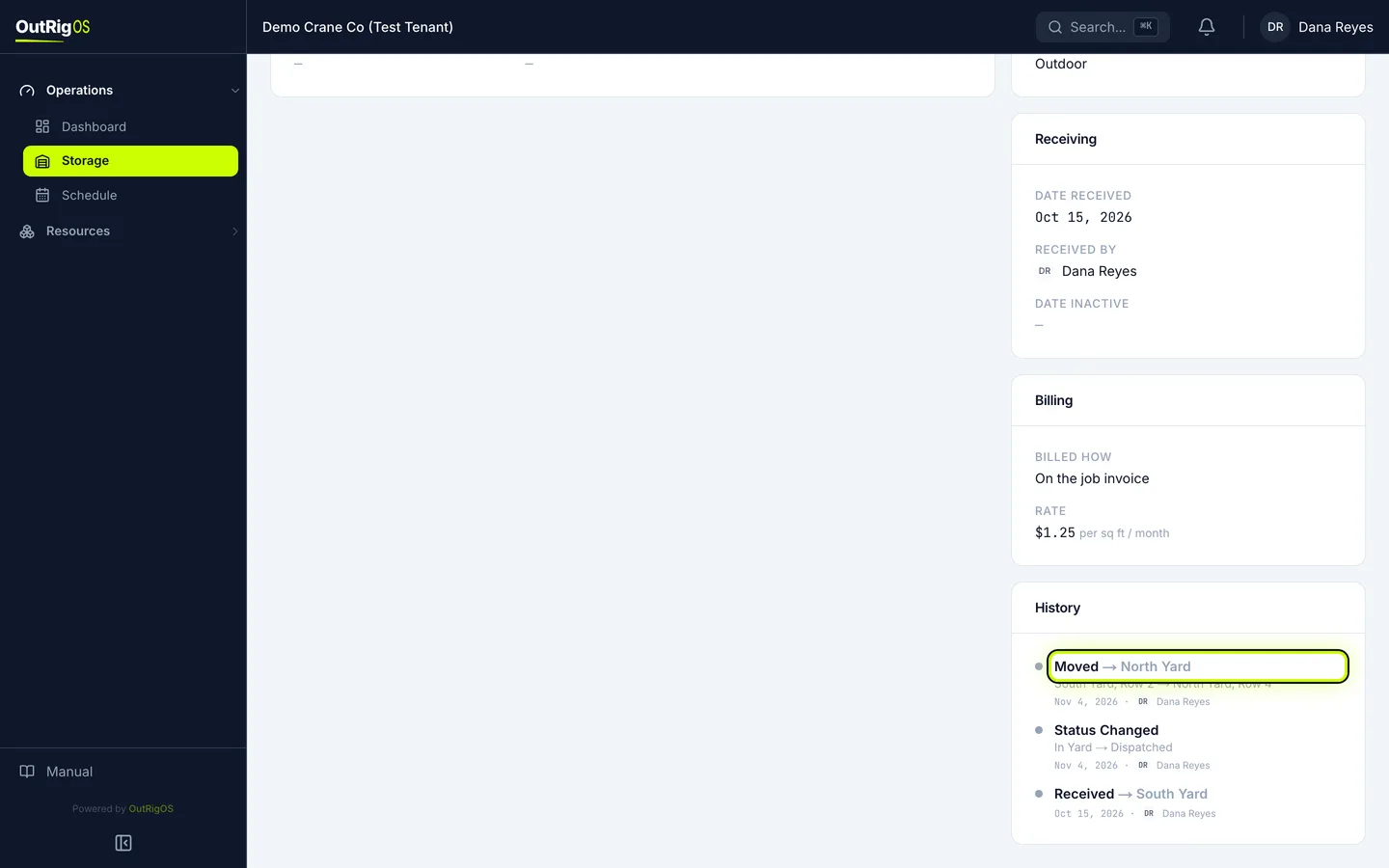
Check the page
The page shows the new yard and status. History shows the move and the status change, with who made them and when.
Related
Last updated on