Review a DVIR
Sign off the defects a driver reported, so the truck’s record shows they were handled.
Who can do this: Shop, Admin
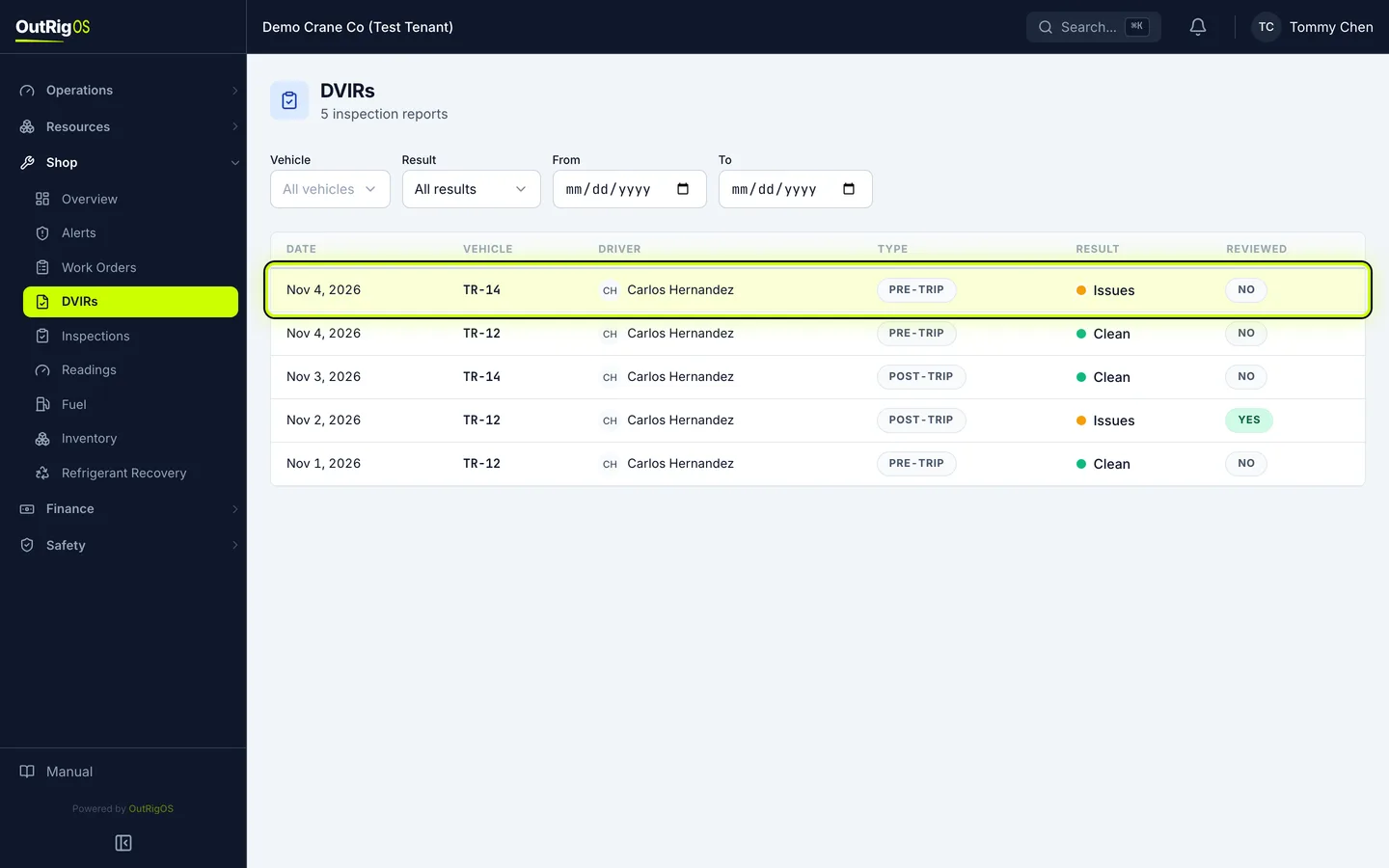
Find the report
In the sidebar, go to Shop → DVIRs. Look for Issues that have not been reviewed, and open one.
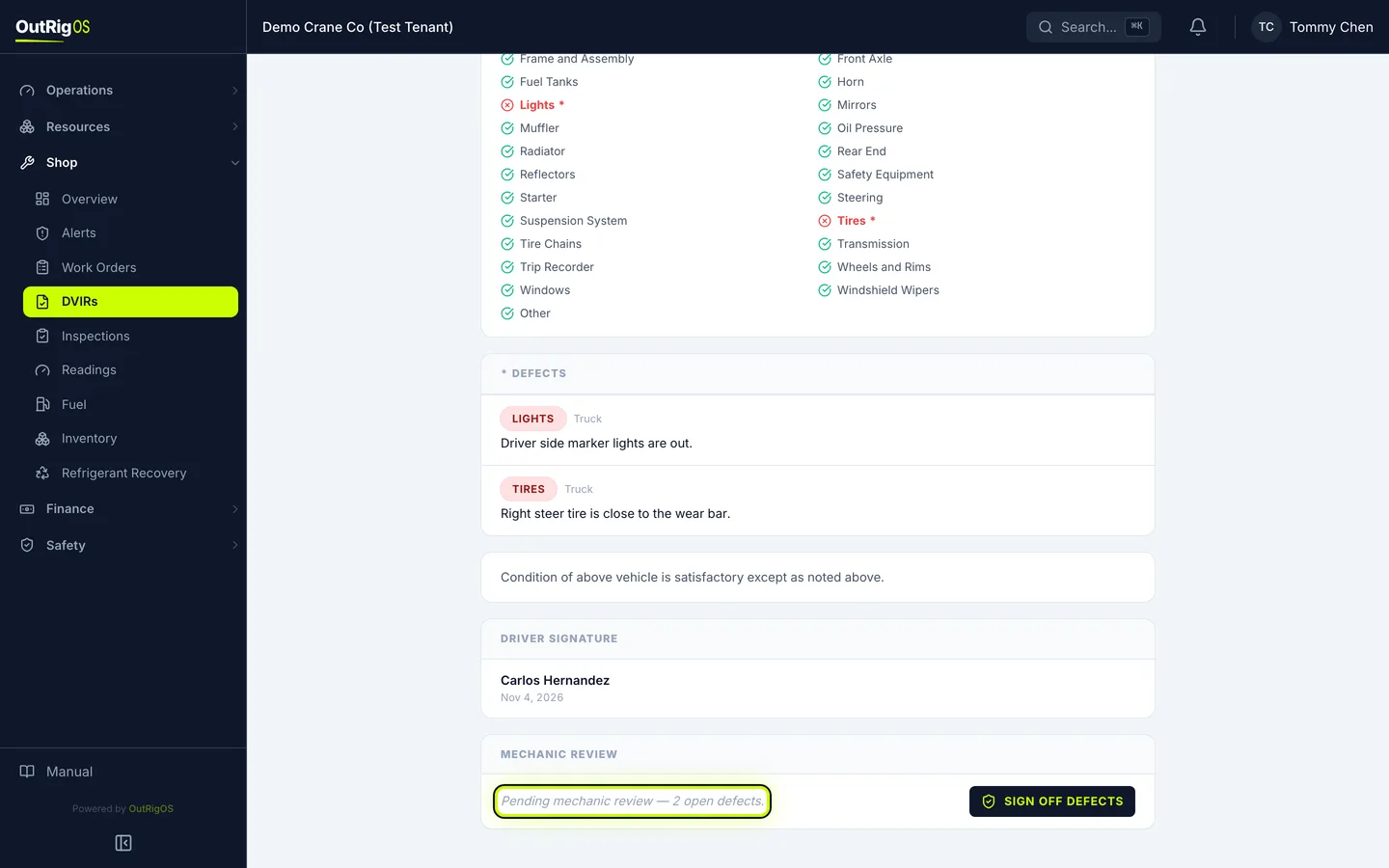
See what the driver found
The driver’s defects are listed here, and Mechanic Review shows what is still open.
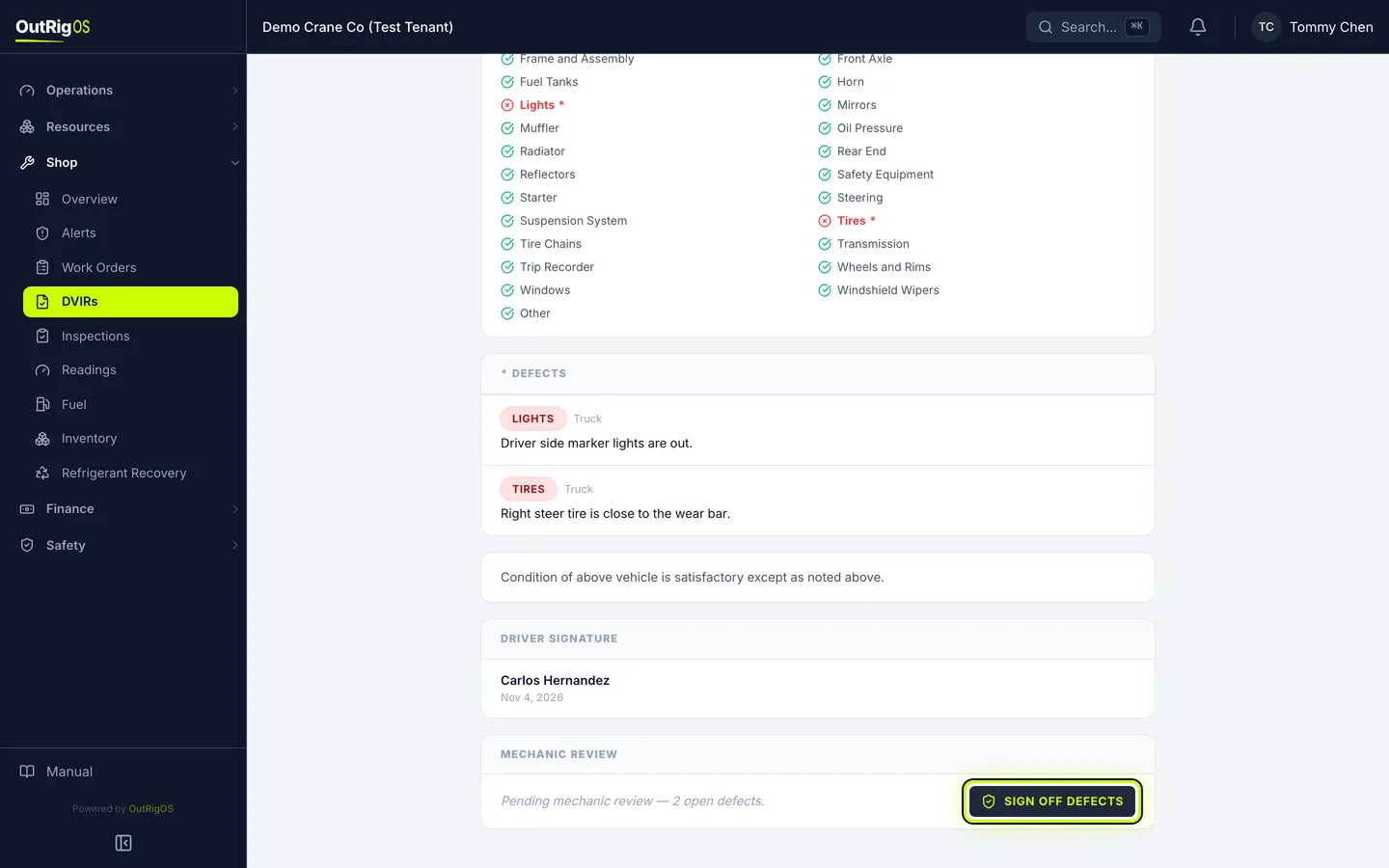
Sign off the defects
Once they are handled, click Sign off defects.
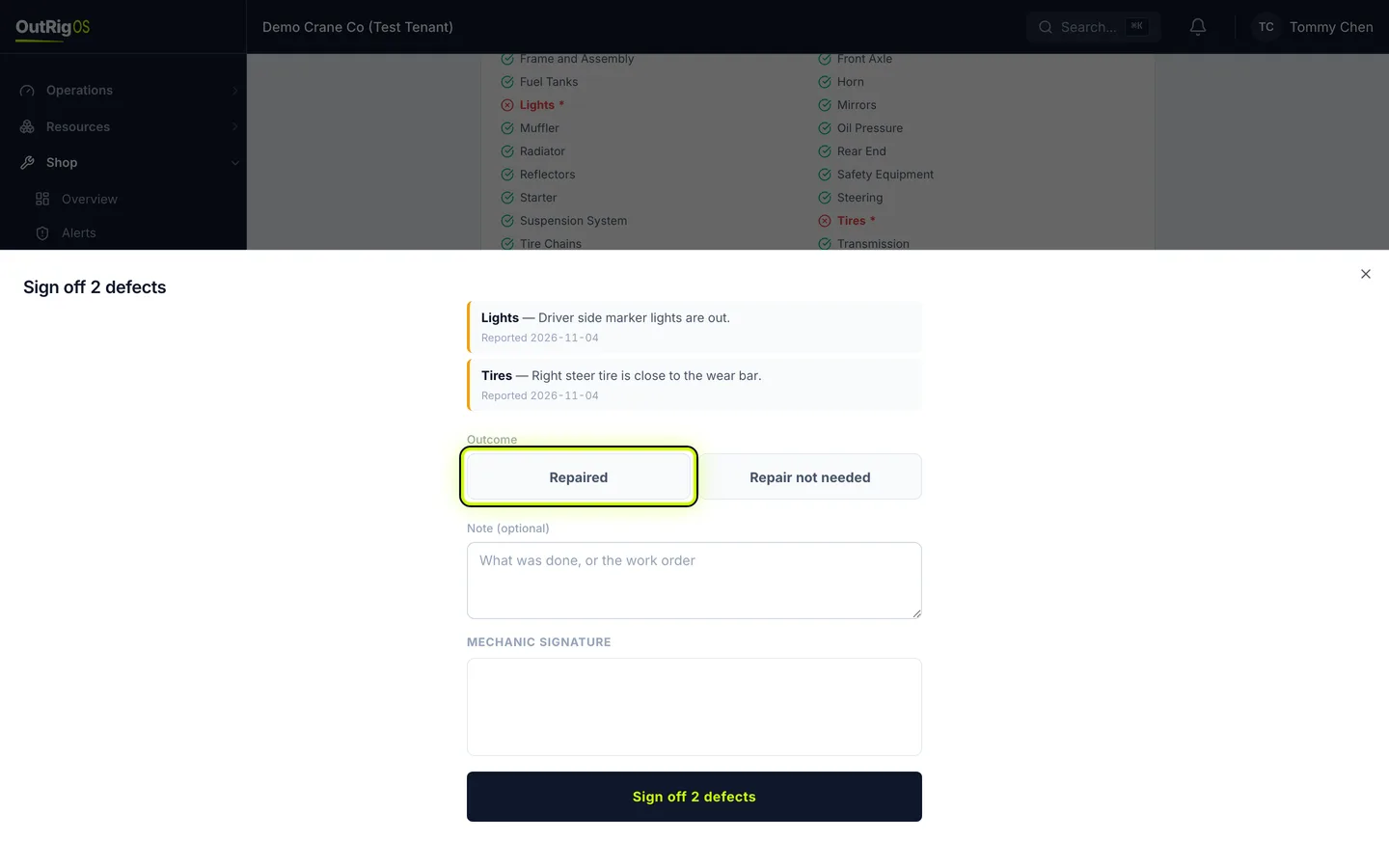
One outcome and one signature cover every open defect on this report. Handle them all before you sign.
Say what happened
Choose Repaired or Repair not needed. Add a note if it helps.
Sign it
Sign under Mechanic Signature.
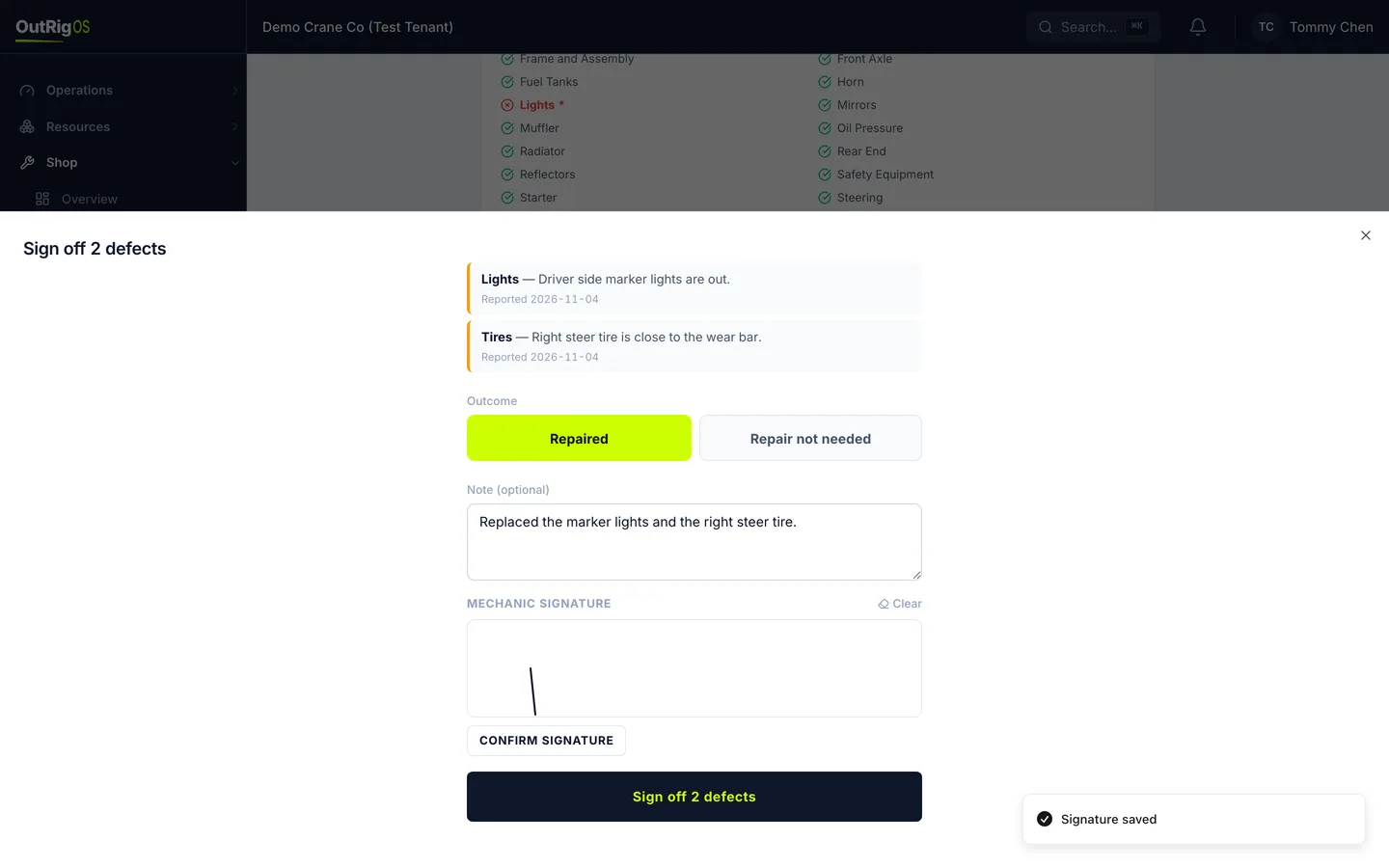
Finish it
Click Sign off 2 defects.
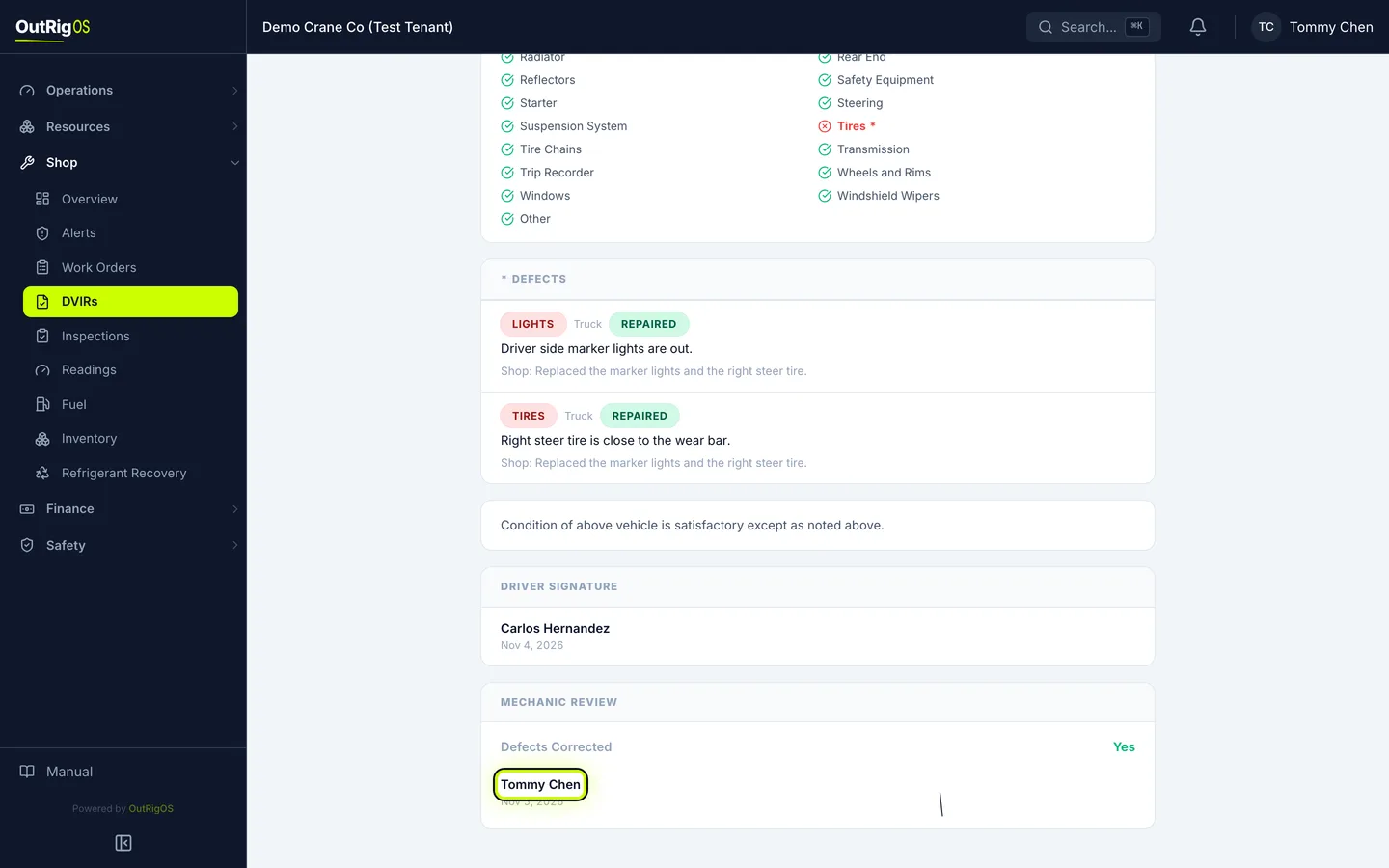
It is on the record
The report now shows the defects were corrected, with your name, the date and your signature.
A defect also made an alert when the driver reported it. Signing off does not close that alert, so handle it on Shop → Alerts.