Create a PO for a part
Order a part for a repair, and get a purchase order number tied to the work order.
Who can do this: Shop, Admin
Open the work order
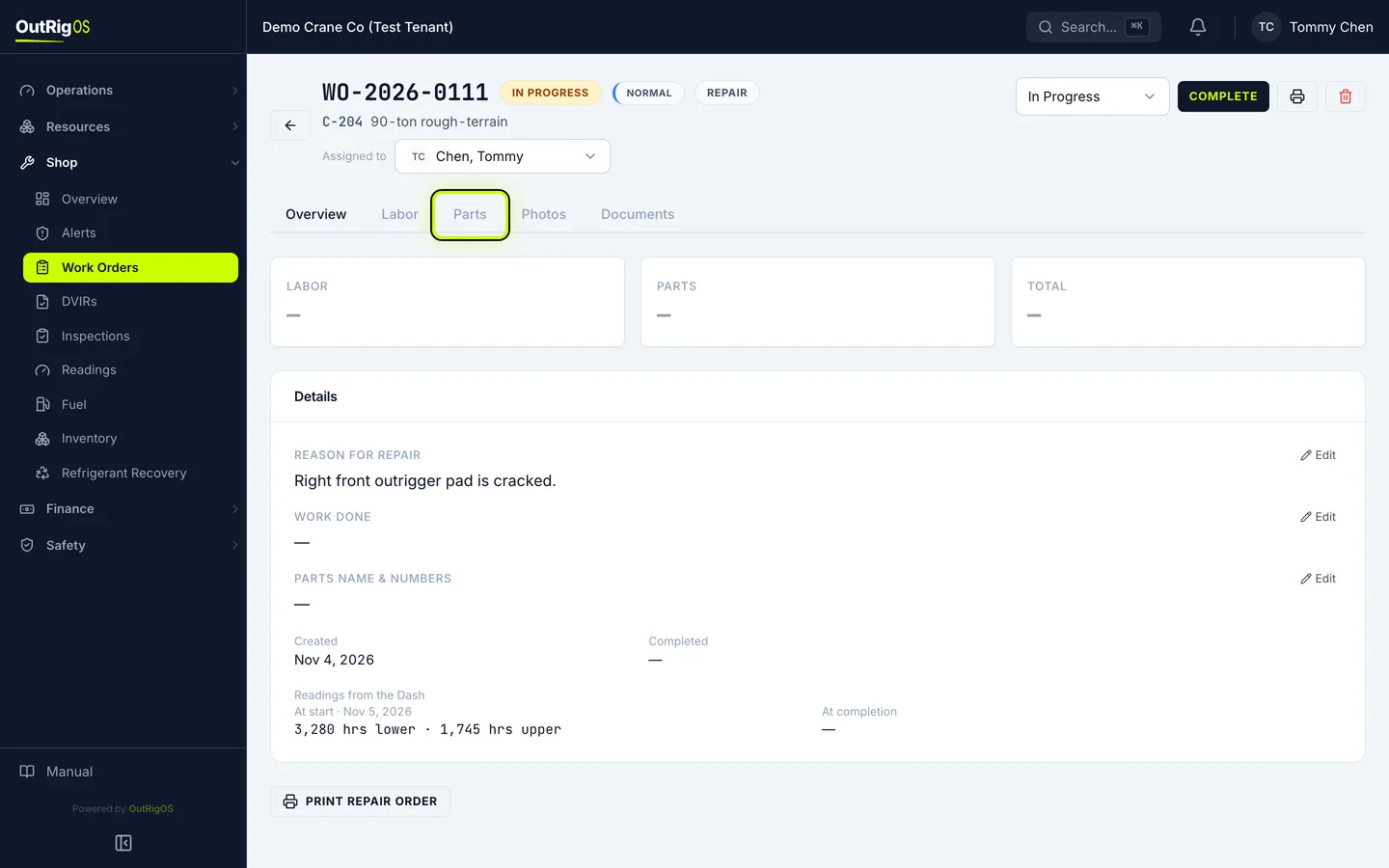
In Shop → Work Orders, open the work order the part is for, and go to the Parts tab.
Add the part
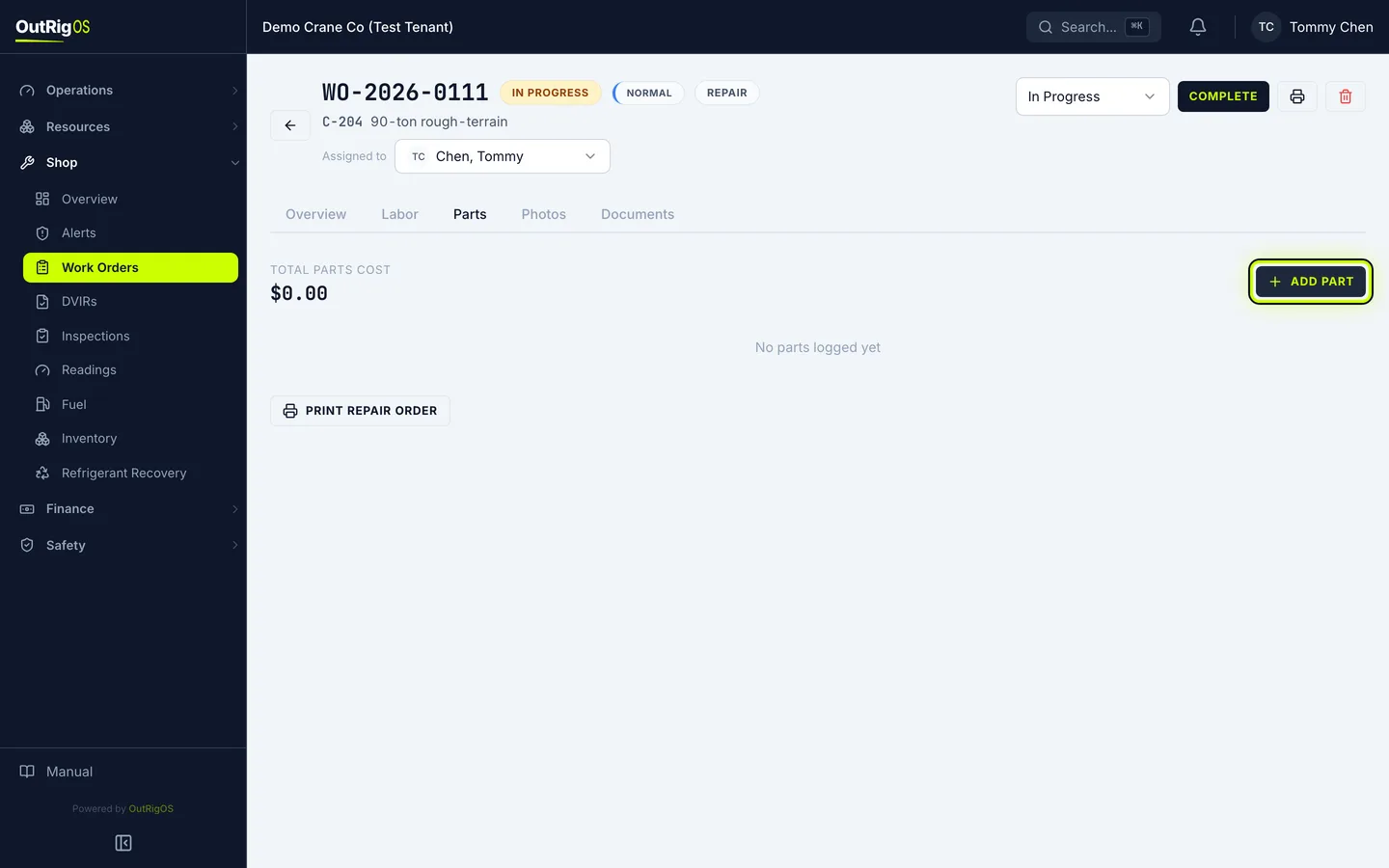
Click Add Part. Buy New (PO) is already picked.
Pick the vendor
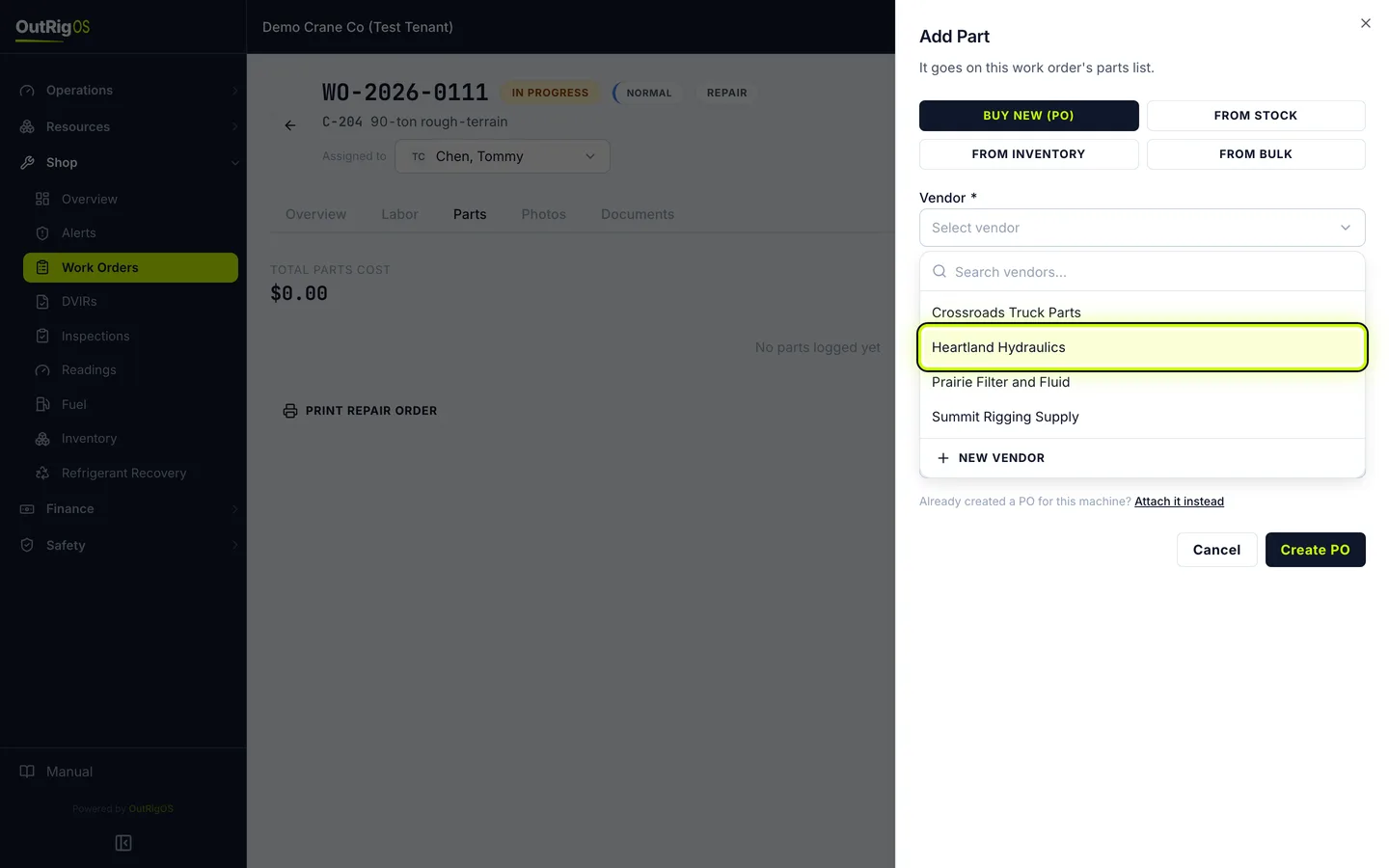
Under Vendor, pick the vendor. If they are not on the list, choose New vendor.
Say what you are ordering
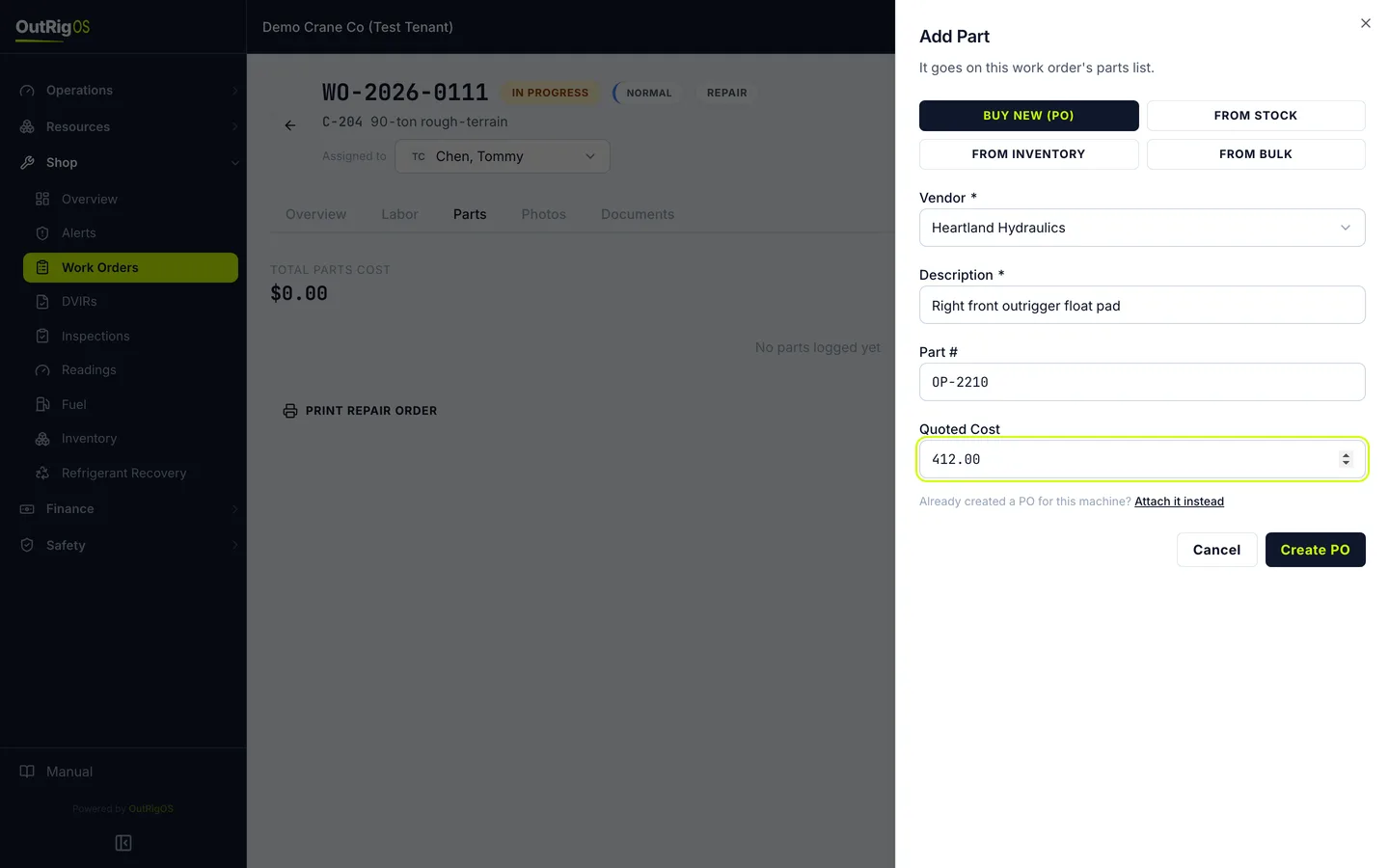
Under Description, say what you are ordering. Add the Part # and the Quoted Cost.
Already have a purchase order for this? Click Attach it instead and pick it.
Create the PO
Click Create PO.
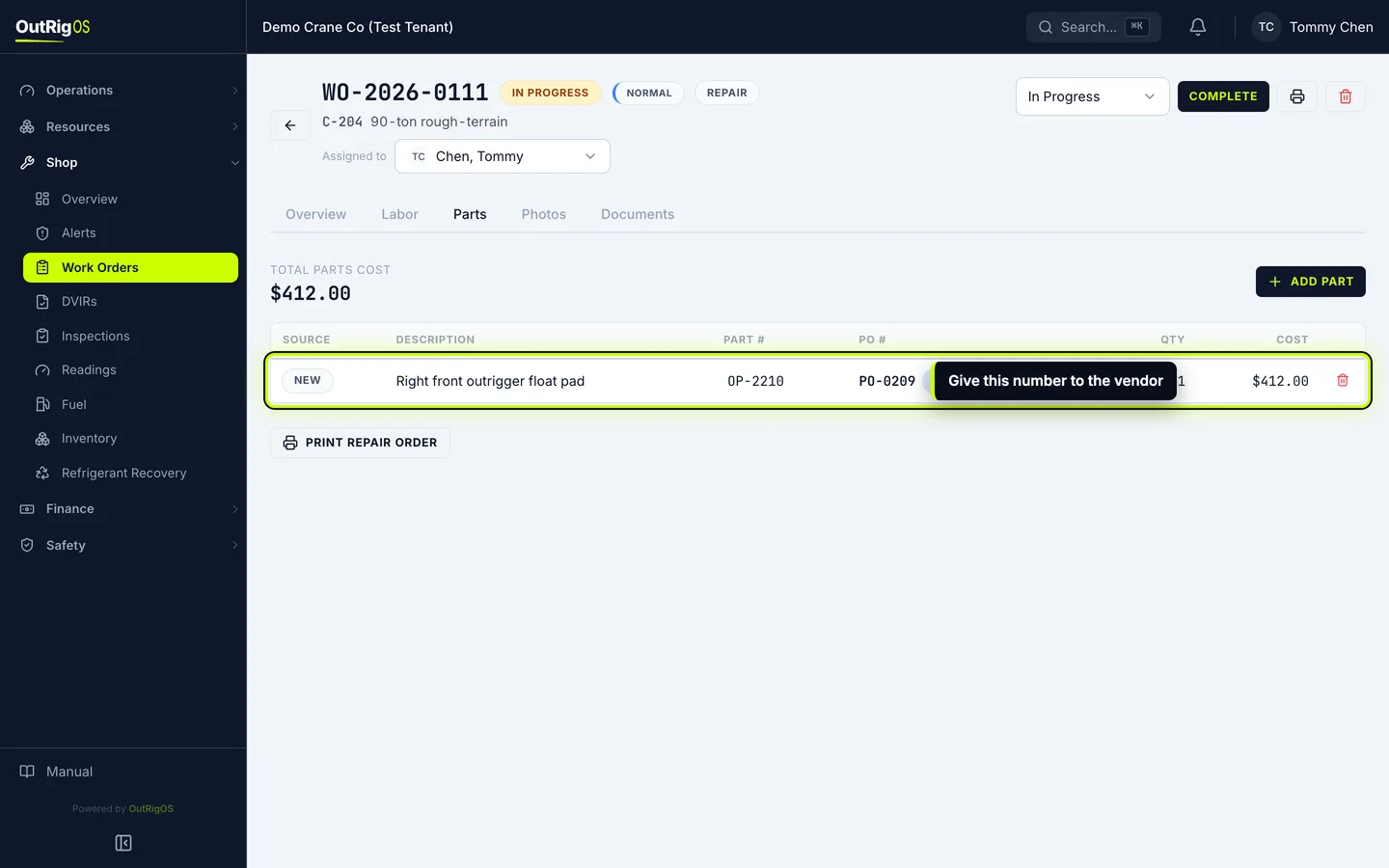
Give the vendor the number
You get the PO number right away, and the part is on the work order. Give that number to the vendor.
The cost stays as quoted until your bookkeeper matches the vendor bill and enters the final cost.
Related
Last updated on