Handle an alert
Turn a problem somebody reported into a work order, or reject it and say why.
Who can do this: Shop, Admin
Go to Alerts
In the sidebar, go to Shop → Alerts. Problems from inspections, driver reports and people reporting them directly all land here, and each new one waits for a decision.
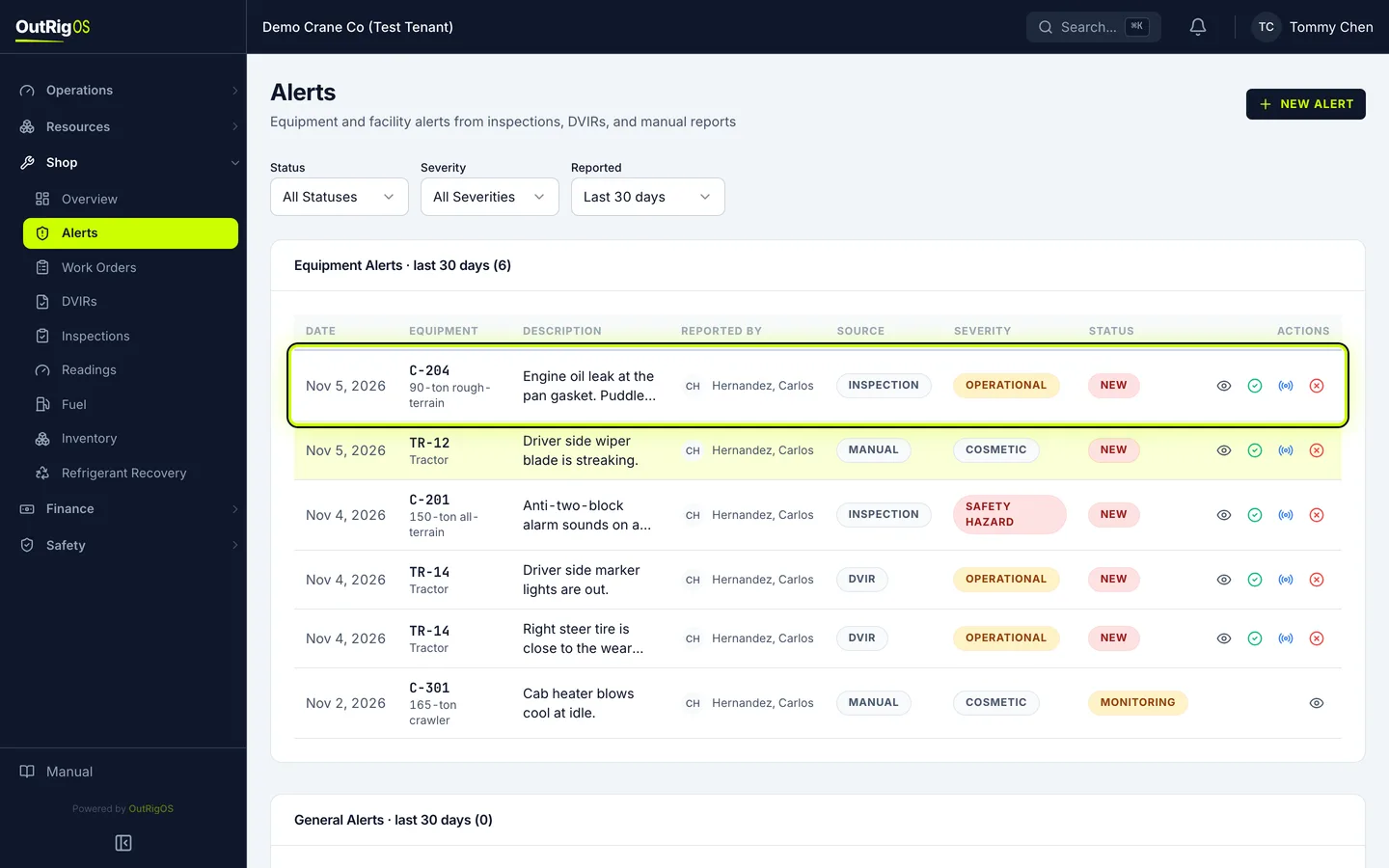
Make it a work order
If it needs fixing, click the check mark, Create Work Order. It opens one right away, with the machine and the problem filled in.
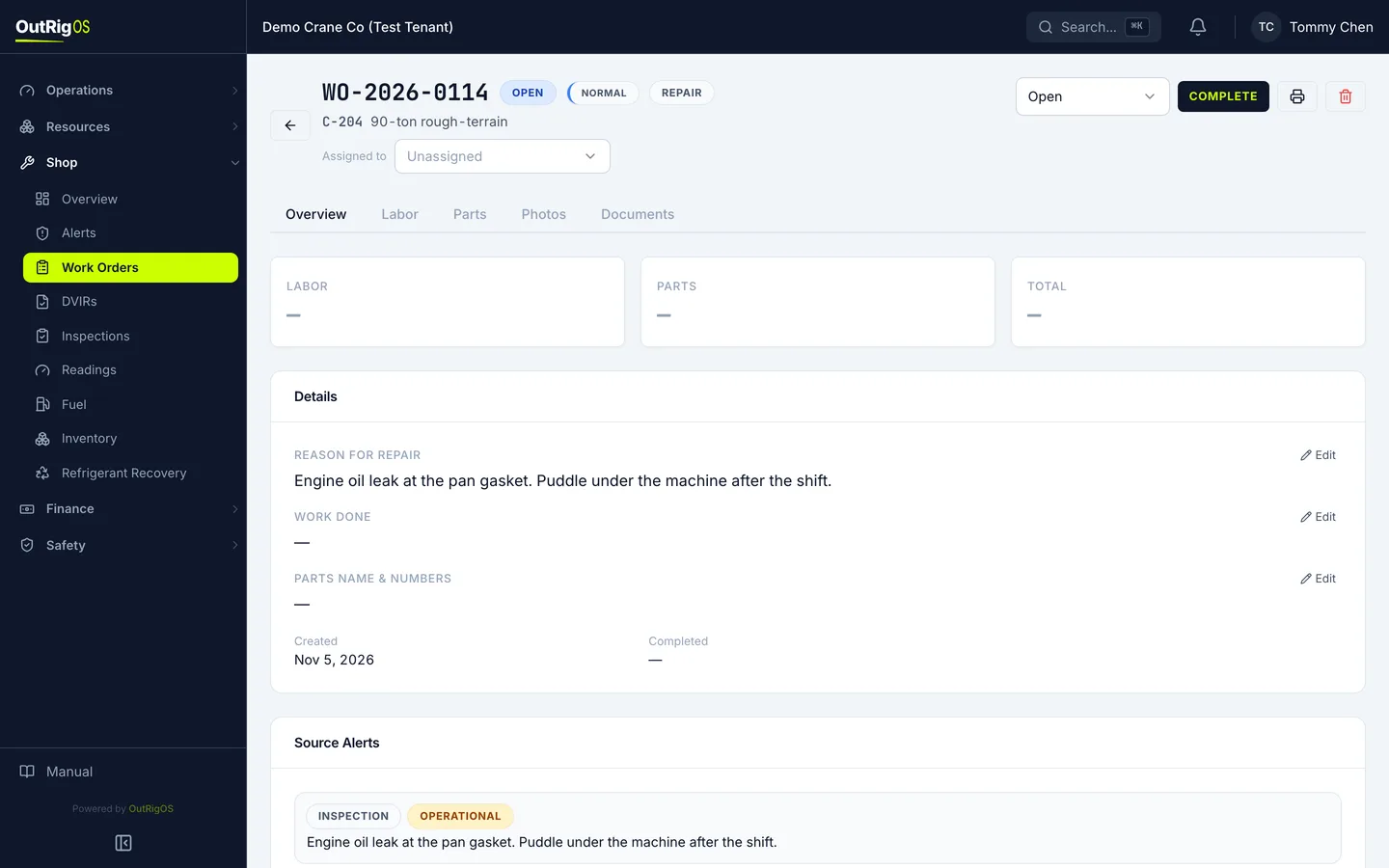
Reject one that needs nothing
Back on Alerts, if it does not need anything, click the X, Reject.
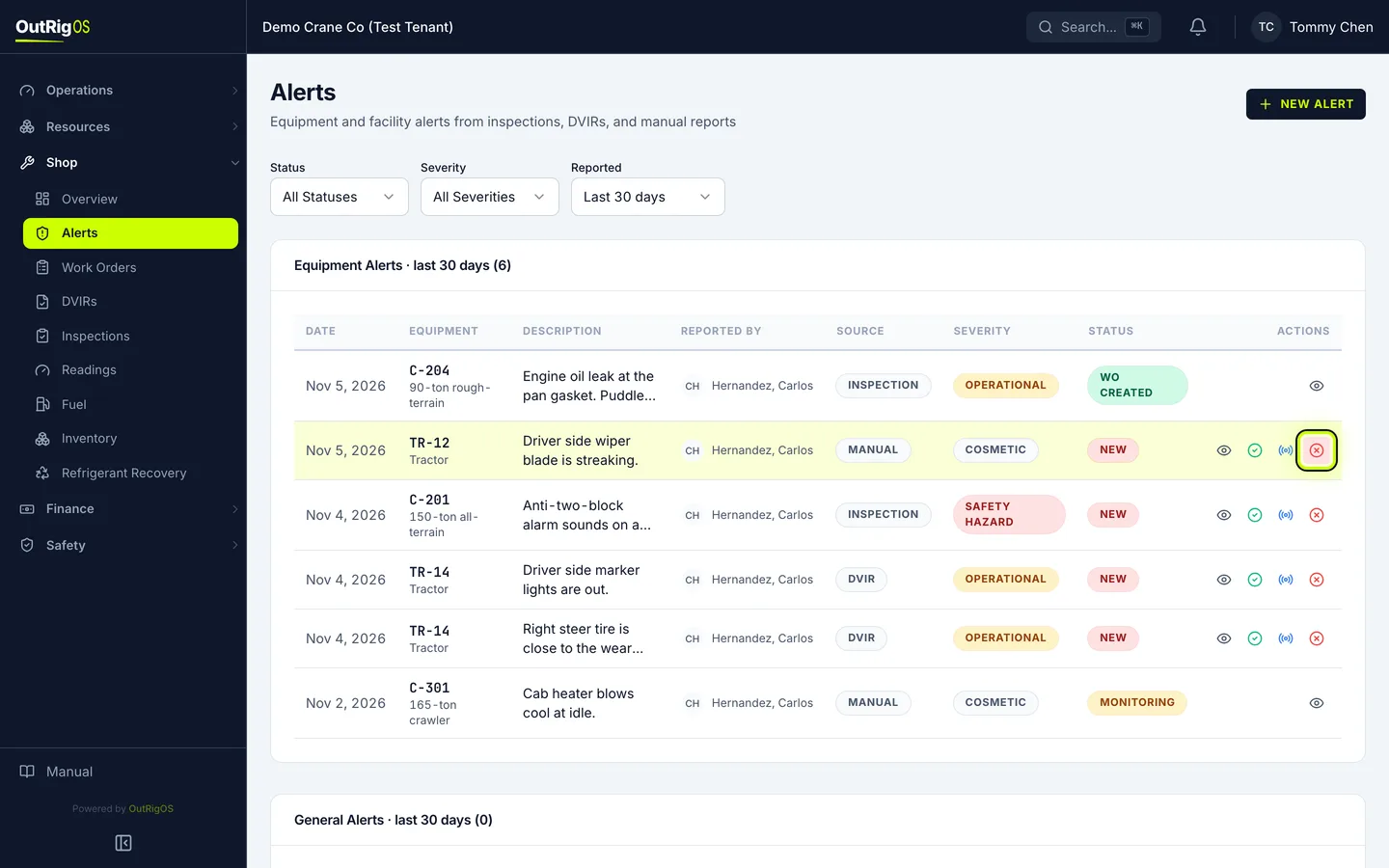
Say why
Under Reason, say why, so the record shows what happened. Click Reject Alert.
Rejected by mistake? Undo is on the message, and Reopen is on the rejected alert. To keep an eye on something without opening a work order, use Monitor.
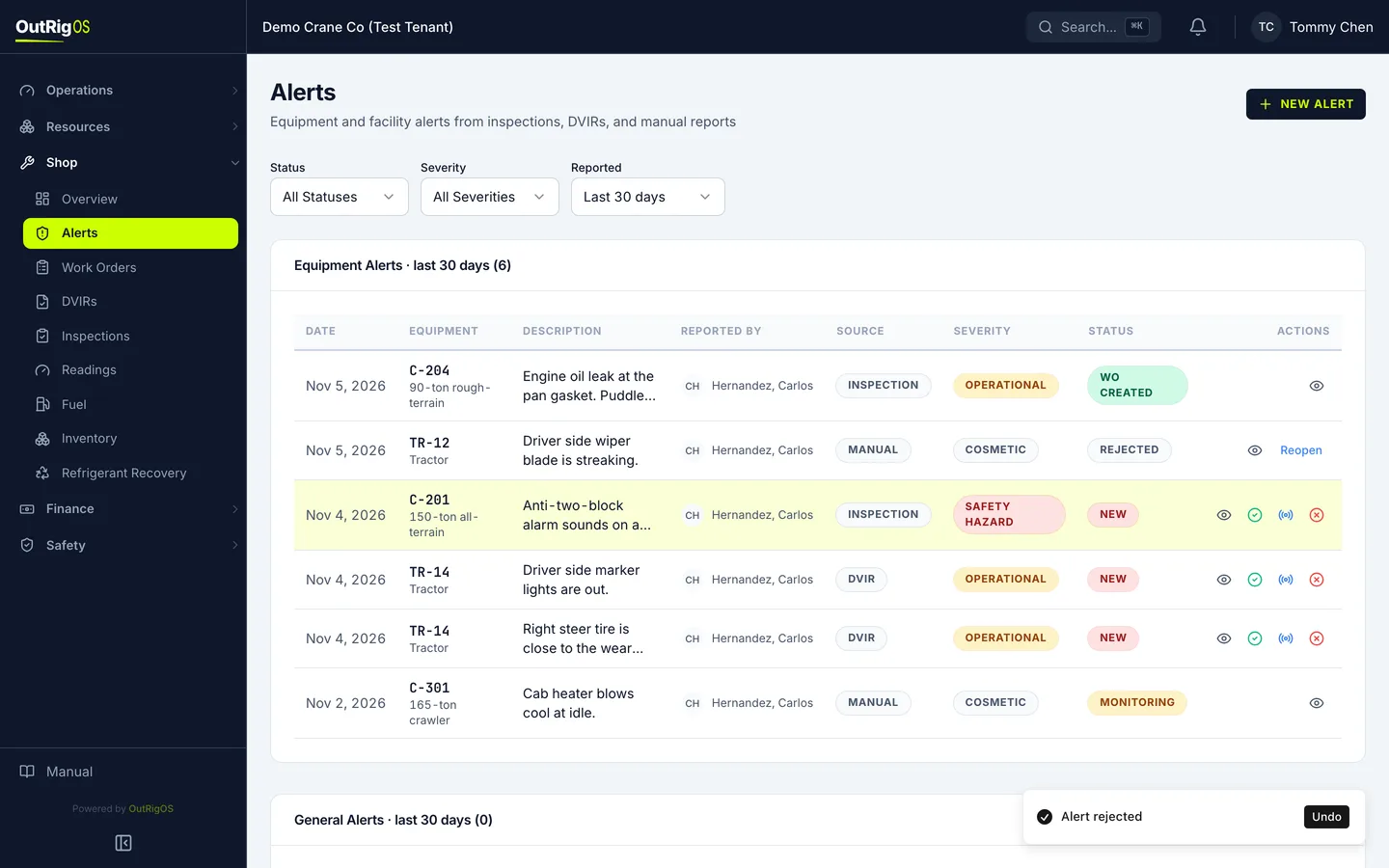
Related
Last updated on