Correct a wrong reading
Fix a machine’s miles or hours when somebody typed the wrong number.
Who can do this: Admin, Anyone given Correct readings
Find the machine
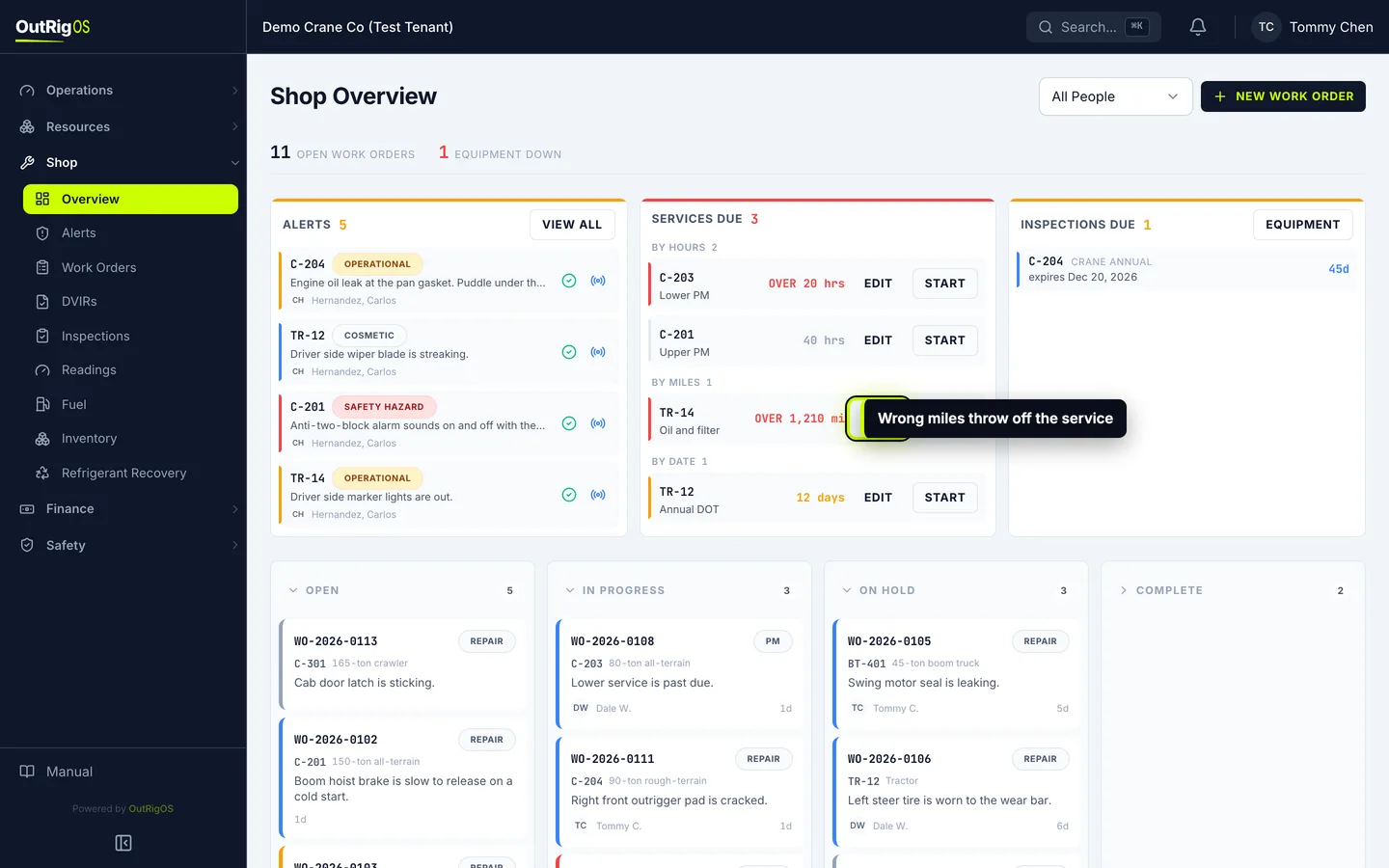
Corrections start on Shop → Overview, in Services Due. Find the machine with the wrong number.
Open the correction
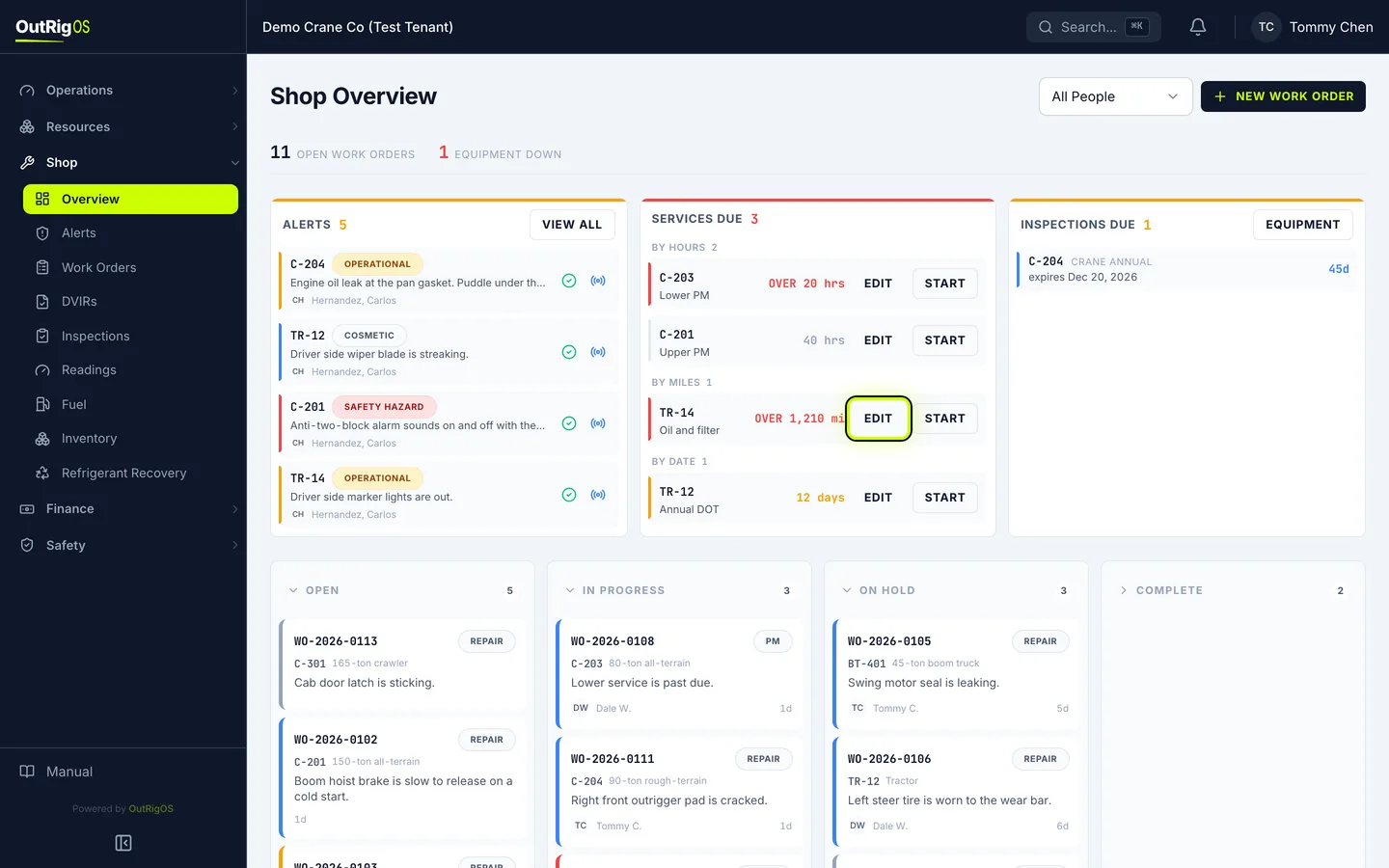
Click Edit, next to the machine.
Only people given Correct readings, and administrators, see Edit. Ask your administrator if you need it.
Enter the right number
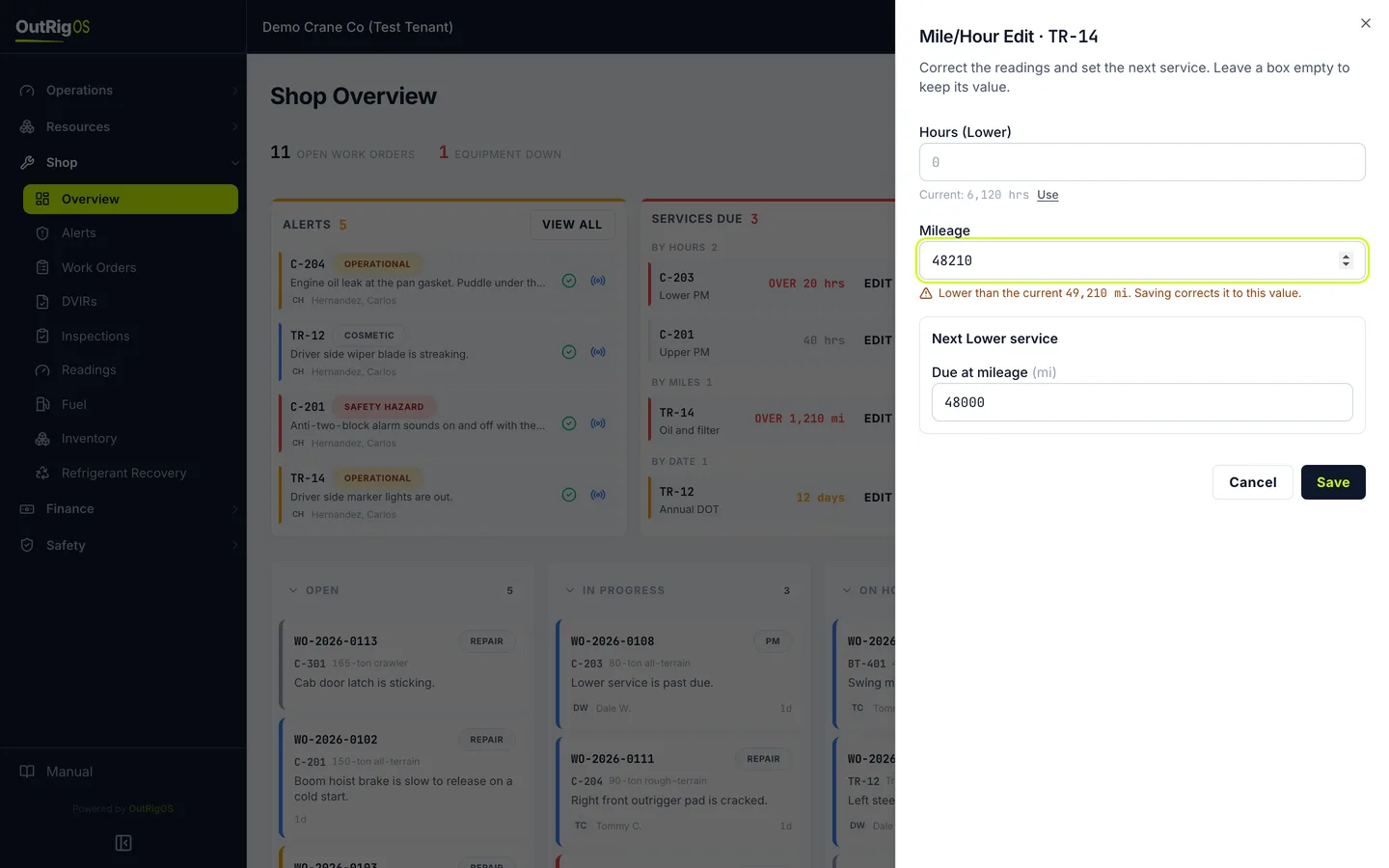
Enter the right number. Leave the other boxes empty, and they keep what they have.
Save it
Click Save.
Check the service
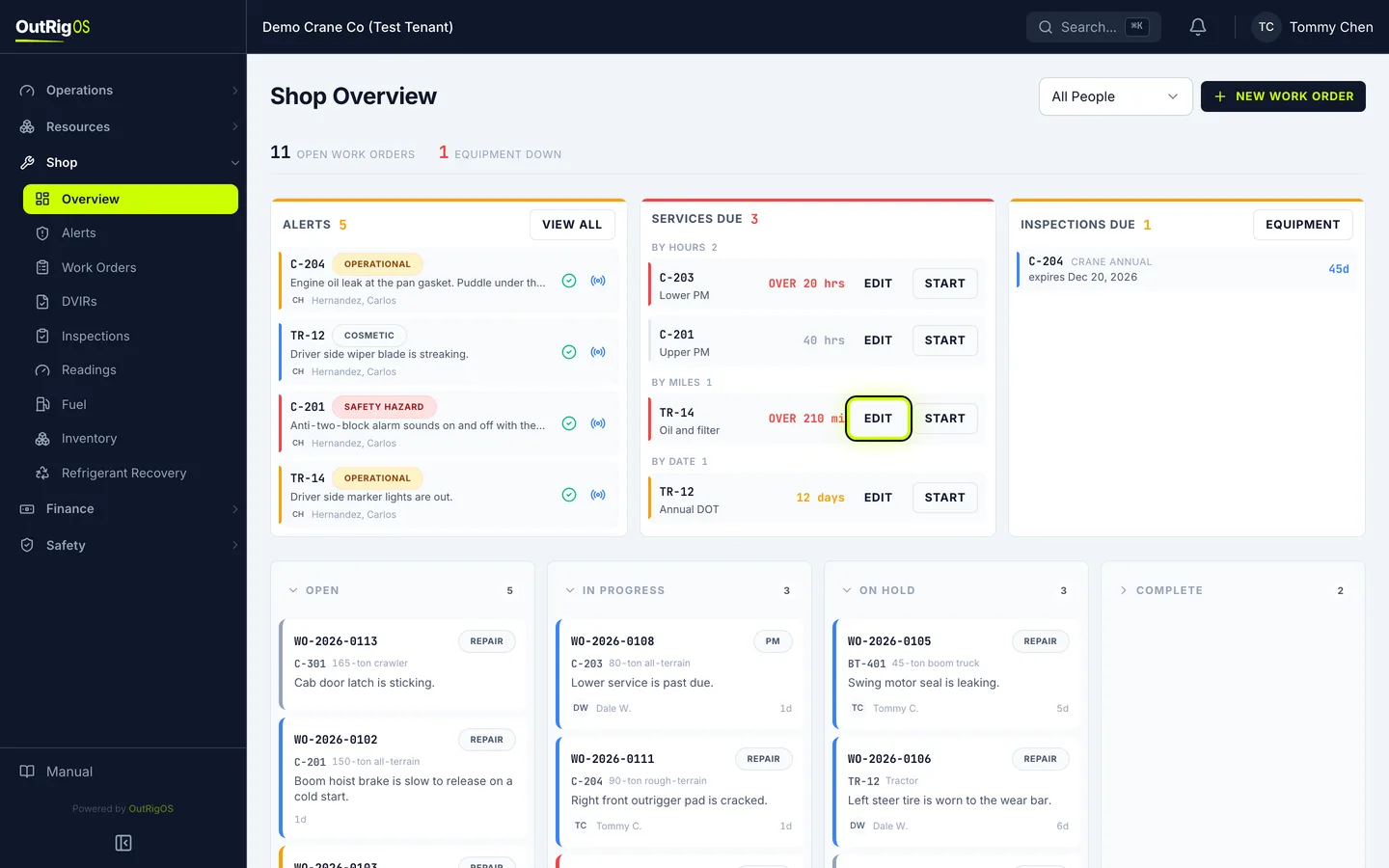
The miles are right, and the service is back to where it should be. The old number stays in the history, marked as corrected.
Related
Last updated on